
How to Create Fancy Text Online: Step-by-Step Guide
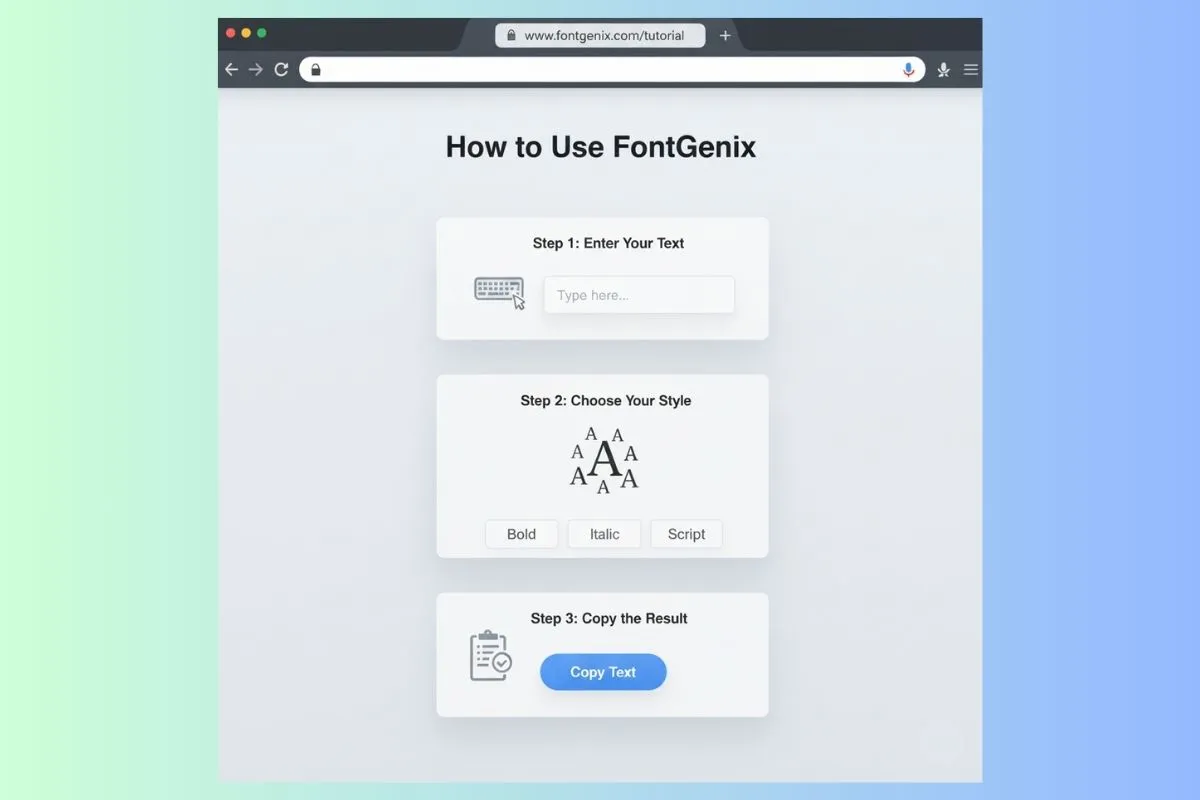
Creating fancy text online has become an essential skill for anyone looking to stand out on social media, create unique usernames, or add personality to their digital communications. Whether you're a social media manager, content creator, gamer, or just someone who wants to make their text more interesting, learning how to create fancy text online opens up a world of creative possibilities.
Fancy text generators use Unicode characters to transform ordinary text into stylized versions that look completely different from standard fonts. These tools are free, easy to use, and work across most platforms including Instagram, WhatsApp, TikTok, Discord, gaming platforms, and more. In this comprehensive guide, we'll walk you through everything you need to know about creating fancy text online, from choosing the right tool to mastering advanced techniques.
Understanding Fancy Text and Unicode
Before diving into how to create fancy text, it's important to understand what makes fancy text work. Fancy text generators use Unicode characters - a universal character encoding standard that includes over 140,000 characters from various writing systems and symbol sets.
When you create fancy text, the generator replaces standard ASCII characters (like A, B, C) with Unicode equivalents that look stylized. For example, the letter "A" can be transformed into various fancy versions like: 𝓐 (script), 𝐀 (bold), 𝔸 (double-struck), or A (full-width).
These Unicode characters are recognized by most modern devices and platforms, which means your fancy text will display correctly across different systems. However, it's important to note that not all platforms support all Unicode characters equally, so testing is always recommended.
Step 1: Choose the Right Fancy Text Generator
The first step in creating fancy text online is selecting a reliable generator. There are many options available, each with different features and font collections. Here's what to look for:
Key Features to Consider
- Variety of Fonts: Look for generators with 100+ font styles. More options mean more creative possibilities.
- Real-Time Preview: The best generators show you all font variations instantly as you type, making it easy to compare options.
- One-Click Copy: A copy button for each font style saves time and reduces errors.
- Mobile-Friendly: Since many users create fancy text on mobile devices, ensure the generator works well on smartphones.
- No Registration Required: Free tools that don't require sign-up are more convenient and accessible.
- Search Functionality: Advanced generators allow you to search for specific font styles by name or category.
Popular fancy text generators include FontGenix (with 200+ styles), CoolSymbol, FancyTextConverter, and various Unicode text tools. FontGenix stands out for its extensive font library, user-friendly interface, and real-time preview capabilities.
Types of Fancy Text Generators
Different generators serve different purposes:
- General Purpose Generators: Offer a wide variety of styles for all uses (Instagram, gaming, messaging, etc.)
- Platform-Specific Tools: Designed for specific platforms like Instagram bio generators or gaming username creators
- Style-Specific Generators: Focus on particular styles like cursive fonts, bold fonts, or decorative fonts
- Advanced Tools: Include features like font mixing, custom character mapping, or batch processing
Step 2: Enter Your Text
Once you've chosen your fancy text generator, the next step is entering the text you want to transform. This might seem straightforward, but there are some important considerations:
Text Length Considerations
Fancy text works best with shorter phrases. Here's why:
- Readability: Long blocks of fancy text can be difficult to read, especially on mobile devices
- Platform Limitations: Some platforms have character limits (Instagram bios: 150 characters, Twitter: 280 characters)
- Visual Impact: Short, impactful phrases with fancy fonts have more visual impact than long paragraphs
Ideal Length Examples:
- Instagram bios: 1-3 short lines
- Gaming usernames: 5-15 characters
- Social media captions: Key phrases or words, not entire paragraphs
- WhatsApp messages: Short phrases for emphasis
What Text Works Best?
Not all text is created equal when it comes to fancy fonts. Here are some examples of text that works particularly well:
- Names and Usernames: "John Smith" → 𝓙𝓸𝓱𝓷 𝓢𝓶𝓲𝓽𝓱 or J O H N S M I T H
- Brand Names: "Coffee Shop" → 𝓒𝓸𝓯𝓯𝓮𝓮 𝓢𝓱𝓸𝓹
- Short Phrases: "Dream Big" → 𝓓𝓻𝓮𝓪𝓶 𝓑𝓲𝓰
- Emotional Expressions: "Love Life" → 𝓛𝓸𝓿𝓮 𝓛𝓲𝓯𝓮
- Action Words: "Start Now" → 𝐒𝐭𝐚𝐫𝐭 𝐍𝐨𝐰
Step 3: Browse and Select a Font Style
This is where the magic happens! Most fancy text generators display multiple font variations simultaneously, allowing you to see all your options at once. Here's how to choose the right style:
Understanding Font Categories
Fancy text generators typically organize fonts into categories:
Cursive and Script Fonts
Elegant, flowing fonts perfect for sophisticated content. Examples: 𝒮𝒸𝓇𝒾𝓅𝓉, 𝓒𝓾𝓻𝓼𝓲𝓿𝓮
Best for: Instagram bios, elegant brand names, formal announcements, wedding content
Bold and Heavy Fonts
Strong, impactful fonts that demand attention. Examples: 𝐁𝐨𝐥𝐝, 𝗕𝗼𝗹𝗱
Best for: Headlines, important announcements, gaming usernames, attention-grabbing captions
Decorative and Ornate Fonts
Highly stylized fonts with unique character designs. Examples: 𝔇𝔢𝔠𝔬𝔯𝔞𝔱𝔦𝔳𝔢, 𝕯𝖊𝖈𝖔𝖗𝖆𝖙𝖎𝖛𝖊
Best for: Special occasions, artistic content, unique brand identities, creative projects
Minimalist and Clean Fonts
Simple, modern fonts with clean lines. Examples: S P A C E D, Minimal
Best for: Tech brands, modern aesthetics, professional content, minimalist designs
Special Character Fonts
Fonts using symbols, boxes, or unique Unicode blocks. Examples: 🄱🄾🅇🄴🄳, 【Special】
Best for: Gaming, creative usernames, eye-catching social media content
How to Choose the Right Style
When selecting a fancy text style, consider these factors:
- Platform: Different platforms favor different styles. Instagram works well with elegant scripts, while gaming platforms prefer bold, unique fonts.
- Purpose: Is this for a professional bio or a fun gaming username? Match the style to the purpose.
- Readability: Can you (and others) easily read it? If not, choose a simpler style.
- Brand Identity: Does the font match your brand's personality? A luxury brand might use elegant scripts, while a tech startup might prefer minimalist styles.
- Target Audience: Consider what your audience will find appealing and readable.
Step 4: Copy the Fancy Text
Once you've found a style you like, copying it is straightforward but there are some tips to ensure success:
Copy Methods
- One-Click Copy Buttons: Most modern generators have copy buttons next to each font style. This is the easiest and most reliable method.
- Manual Selection: You can also manually select and copy the text using Ctrl+C (Windows) or Cmd+C (Mac).
- Mobile Copy: On mobile devices, long-press the text and select "Copy" from the context menu.
Common Copy Issues and Solutions
Sometimes copying fancy text doesn't work as expected. Here are solutions to common problems:
- Problem: Copied text appears as regular text
- Solution: Make sure you're copying the actual fancy text, not the input field. Some generators have separate copy buttons for each style.
- Problem: Text doesn't paste correctly
- Solution: Try pasting into a plain text editor first (like Notepad), then copy from there to your final destination.
- Problem: Some characters don't copy
- Solution: The font might use characters not supported by your clipboard. Try a different font style.
Step 5: Paste and Use Your Fancy Text
Now comes the exciting part - using your fancy text! Here's how to use it effectively on different platforms:
Instagram supports most fancy text styles well. Use fancy text for:
- Bio Names: Make your Instagram bio name stand out with elegant script fonts
- Highlight Covers: Create custom highlight cover text that matches your brand
- Story Text: Add fancy text overlays to your Instagram stories
- Captions: Use fancy text for key phrases in captions (sparingly)
Example: Transform "Fashion Blogger" into 𝓕𝓪𝓼𝓱𝓲𝓸𝓷 𝓑𝓵𝓸𝓰𝓰𝓮𝓻 for an elegant bio
WhatsApp supports Unicode fancy text, making it perfect for:
- Group Names: Create unique, eye-catching group names
- Status Updates: Make your status stand out
- Messages: Add emphasis to important messages
- Contact Names: Customize how contacts appear in your list
Example: A group name "Study Group" becomes 𝐒𝐭𝐮𝐝𝐲 𝐆𝐫𝐨𝐮𝐩 or 𝕊𝕥𝕦𝕕𝕪 𝔾𝕣𝕠𝕦𝕡
Gaming Platforms
Gaming platforms like Steam, Xbox, PlayStation support fancy text for usernames. Popular styles include:
- Bold Fonts: 𝐆𝐚𝐦𝐞𝐫𝐓𝐚𝐠 - Strong, impactful
- Boxed Fonts: 【Gamer】 - Unique, eye-catching
- Special Characters: Gₐₘₑᵣₜₐg - Distinctive, memorable
TikTok
TikTok creators use fancy text for:
- Profile Bios: Stand out in the discover feed
- Video Captions: Make captions more engaging
- Username Styling: Create unique, memorable usernames
Discord
Discord servers and users love fancy text for:
- Server Names: Make your server stand out
- Channel Names: Organize channels with styled names
- Nicknames: Personalize your Discord presence
- Role Names: Create visually distinct roles
Advanced Tips and Techniques
Once you've mastered the basics, here are advanced techniques to take your fancy text creation to the next level:
Mixing Font Styles
You can combine different fancy font styles in a single text for creative effects. For example:
- Use bold for the first word: 𝐁𝐨𝐥𝐝 and script for the second: 𝓢𝓬𝓻𝓲𝓹𝓽
- Mix uppercase and lowercase fancy fonts: 𝐁𝐎𝐋𝐃 𝓼𝓬𝓻𝓲𝓹𝓽
- Combine regular and fancy text: "Regular 𝓕𝓪𝓷𝓬𝔂 Text"
Adding Emojis and Symbols
Combine fancy text with emojis and symbols for even more visual impact:
- 𝓕𝓪𝓼𝓱𝓲𝓸𝓷 ✨ - Elegant with sparkle
- 𝐂𝐨𝐟𝐟𝐞𝐞 ☕ - Bold with coffee emoji
- 【Gaming】🎮 - Boxed with game controller
Creating Brand Consistency
If you're using fancy text for branding, create a style guide:
- Choose 2-3 favorite font styles that match your brand
- Use them consistently across all platforms
- Document which style to use for different purposes
- Train your team on your brand's fancy text standards
Common Mistakes to Avoid
Learning from common mistakes can save you time and ensure your fancy text looks great:
Mistake 1: Using Fancy Text for Long Paragraphs
Problem: Long blocks of fancy text are hard to read and can frustrate users.
Solution: Use fancy text for short phrases, names, or key words only. Keep longer content in regular fonts.
Mistake 2: Not Testing on Mobile
Problem: Some fancy fonts don't render well on mobile devices.
Solution: Always test your fancy text on a mobile device before publishing. Check how it looks in the actual app, not just in a browser.
Mistake 3: Choosing Unreadable Fonts
Problem: Some fancy fonts are so stylized they become illegible.
Solution: If you have to squint to read it, choose a simpler style. Readability should always come first.
Mistake 4: Overusing Fancy Text
Problem: Using fancy text everywhere dilutes its impact and makes content look unprofessional.
Solution: Use fancy text strategically - for emphasis, branding, or special occasions. Less is often more.
Mistake 5: Ignoring Platform Compatibility
Problem: Assuming all platforms support all fancy text styles equally.
Solution: Test your fancy text on each platform where you'll use it. Some platforms have limitations.
Platform-Specific Best Practices
Each platform has its own best practices for fancy text:
Instagram Best Practices
- Use elegant script fonts for bios (they look professional)
- Keep bio text under 150 characters total
- Test how your fancy text looks in the mobile app
- Use fancy text for highlight covers to create visual consistency
- Avoid using fancy text in every caption - use it sparingly for impact
WhatsApp Best Practices
- Fancy text works great for group names and status updates
- Keep group names short and memorable
- Test that all group members can see the fancy text correctly
- Use bold fonts for important announcements in groups
Gaming Platform Best Practices
- Check platform-specific rules about special characters
- Some platforms limit which Unicode characters are allowed
- Bold and boxed fonts tend to work best for gaming usernames
- Make sure your fancy username is still recognizable and memorable
Troubleshooting Common Issues
Even with the best tools, you might encounter issues. Here's how to solve them:
Issue: Fancy Text Doesn't Display Correctly
Causes and Solutions:
- Platform doesn't support the Unicode characters: Try a simpler font style with more common Unicode characters
- Device doesn't have the font installed: Most modern devices support Unicode, but older devices might not
- Browser compatibility: Try a different browser or update your current one
- Copy/paste error: Make sure you copied the entire fancy text, not just part of it
Issue: Fancy Text Looks Different on Different Devices
This is normal! Different devices and platforms may render Unicode characters slightly differently. To minimize this:
- Use more common Unicode character sets
- Avoid extremely stylized fonts for important content
- Test on multiple devices before publishing
- Have a backup plan with regular text if fancy text fails
Real-World Examples and Use Cases
Let's look at some real-world examples of how people successfully use fancy text:
Example 1: Instagram Fashion Influencer
Regular Bio: "Fashion blogger | NYC | Coffee lover"
With Fancy Text: "𝓕𝓪𝓼𝓱𝓲𝓸𝓷 𝓫𝓵𝓸𝓰𝓰𝓮𝓻 | NYC | ☕ 𝓬𝓸𝓯𝓯𝓮𝓮 𝓵𝓸𝓿𝓮𝓻"
Result: The fancy text adds elegance and sophistication that matches the fashion brand aesthetic, potentially increasing follower engagement.
Example 2: Gaming Streamer
Regular Username: "ProGamer123"
With Fancy Text: "【ProGamer】"
Result: The boxed fancy text makes the username more distinctive and memorable, helping with brand recognition across platforms.
Example 3: Small Business
Regular Business Name in Bio: "Sunset Cafe"
With Fancy Text: "𝓢𝓾𝓷𝓼𝓮𝓽 𝓒𝓪𝓯𝓮"
Result: The elegant script font conveys warmth and sophistication, aligning with a cozy cafe brand image.
Conclusion
Creating fancy text online is a simple yet powerful way to enhance your digital presence, whether you're managing a brand, building a personal following, or just having fun with text styling. By following the steps outlined in this guide - choosing the right generator, entering appropriate text, selecting suitable styles, and using them effectively on different platforms - you can create stunning, eye-catching text that stands out in today's crowded digital landscape.
Remember, the key to successful fancy text usage is balance: use it strategically to enhance your content without sacrificing readability or overwhelming your audience. With practice and experimentation, you'll develop an eye for which fancy text styles work best for your specific needs and platforms.
Start creating fancy text today with FontGenix's free generator, which offers 200+ font styles, real-time previews, and one-click copying. Whether you're styling an Instagram bio, creating a gaming username, or adding flair to social media content, fancy text generators make it easy to express your unique style and make your text truly stand out.