
Top Font Generation Tools: A Comprehensive Overview
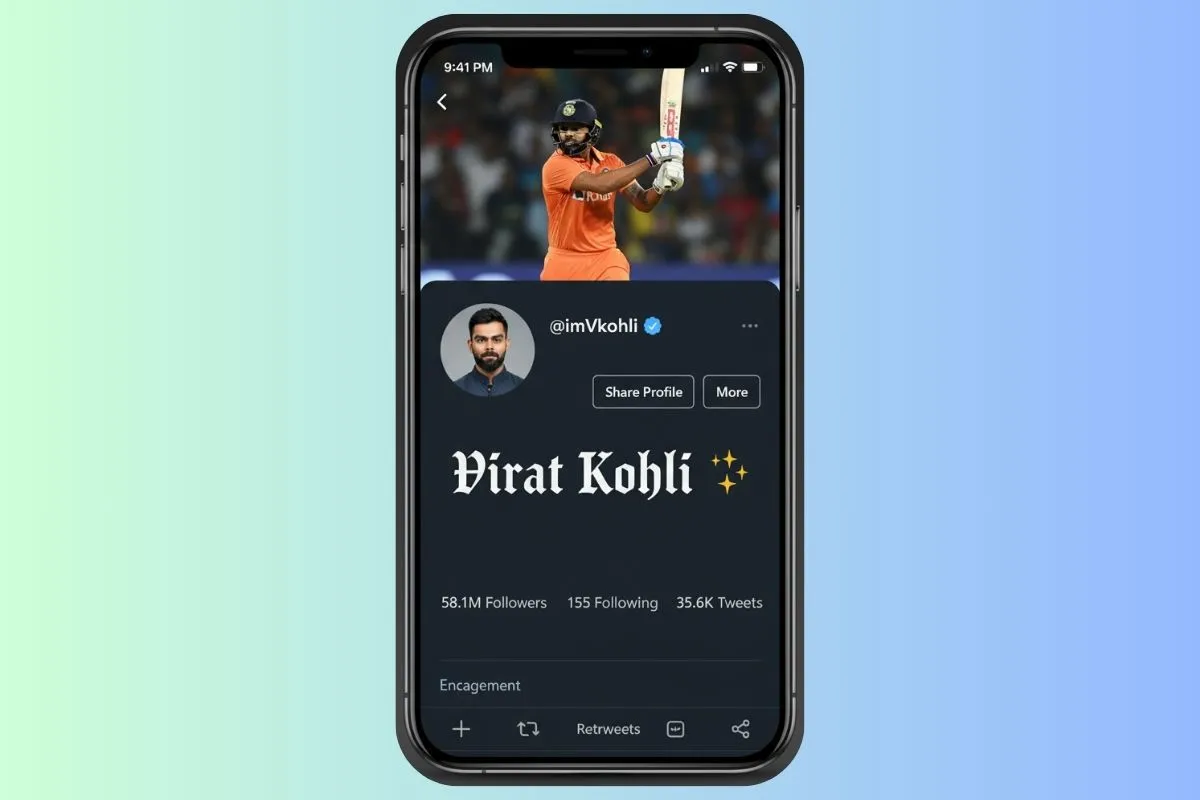
In today's digital age, creating eye-catching, unique text has become essential for personal branding, social media presence, content creation, and professional communication. Whether you're designing Instagram bios, creating gaming usernames, crafting YouTube thumbnails, or building a brand identity, having access to the right font tools can make all the difference between ordinary and extraordinary content.
The internet is filled with countless online font generators, each offering different features, styles, and capabilities. From simple Unicode text converters to advanced logo generators with special effects, the variety can be overwhelming. This comprehensive guide explores the best font tools available, their unique features, use cases, and how to choose the right tool for your specific needs.
Understanding Font Tool Categories
Font tools can be broadly categorized into several types, each serving different purposes:
Unicode Text Generators
These tools convert regular text into stylized Unicode characters that work across platforms. They're perfect for social media bios, usernames, and messaging apps.
Font Download Libraries
These platforms offer downloadable font files for use in design software, graphics, and video editing. They're ideal for professional design work.
Logo and Image Generators
These tools create text as images (PNG, JPG) with special effects, perfect for thumbnails, headers, and graphics.
Specialized Generators
Tools designed for specific purposes like gaming usernames, social media bios, or decorative text.
Top Unicode Text Generators
Unicode text generators are the most versatile font tools, working across most platforms and devices:
FontGenix
Features:
- 200+ unique font styles (the largest collection available)
- Real-time preview of all font variations
- One-click copy functionality for each style
- Mobile-friendly, responsive design
- No registration required - completely free
- Works instantly - no downloads or installations
- Optimized for Instagram, TikTok, WhatsApp, Discord, and gaming platforms
Best For: Social media bios, gaming usernames, messaging apps, quick text styling
Unique Advantage: Largest font collection with the most variety, making it perfect for finding the exact style you need
Example Use Case: Transform "Fashion Blogger" into 𝓕𝓪𝓼𝓱𝓲𝓸𝓷 𝓑𝓵𝓸𝓰𝓰𝓮𝓻 for an Instagram bio
Namecheap Fancy Text Generator
Features:
- 16 unique font styles (Gothic, Monospace, Script, etc.)
- Live preview as you type
- Instant copy functionality
- Unicode-based for cross-platform compatibility
- Clean, simple interface
- No account required
Best For: Quick text transformations, beginners who want simplicity
Limitation: Smaller font collection compared to FontGenix
Example Use Case: Create a Gothic-style username: 𝔊𝔬𝔱𝔥𝔦𝔠
CoolSymbol
Features:
- Simple web-based tool
- Styled text generation
- Extensive symbol library
- Emoji art creation
- Unicode text support
- Notable for appearing in Google search results
Best For: Adding symbols to text, emoji combinations, decorative elements
Unique Feature: Strong SEO presence makes it easy to find
Example Use Case: Add symbols to create ★ Fancy Text ★ or emoji art
LingoJam Font Generator
Features:
- Multiple font style options
- Real-time conversion
- Easy copy-paste functionality
- Mobile-friendly interface
Best For: Quick Instagram bio styling, social media text
Font Download Libraries
For professional design work, downloadable fonts are essential:
DaFont
Features:
- Massive font library (over 50,000 fonts)
- Free font downloads
- Categories: Script, Sans-serif, Serif, Decorative, etc.
- Preview before downloading
- Font creation tools available
- Community-driven platform
- Font licensing information provided
Best For: Graphic design, video editing, professional projects, custom branding
Unique Advantage: DaFont provides "font creation free of charge, making it accessible for individuals who wish to experiment with typography" - perfect for aspiring font designers
Use Case: Download Impact font for YouTube thumbnails, or Bebas Neue for channel branding
Important Note: Check licensing - some fonts are free for personal use only, others require commercial licenses
Google Fonts
Features:
- 1000+ open-source fonts
- 100% free for commercial use
- Web font integration
- Downloadable font files
- Optimized for web performance
- Easy integration with websites
Best For: Web design, professional projects, commercial use
Unique Advantage: All fonts are completely free for any use, including commercial
Adobe Fonts (formerly Typekit)
Features:
- Premium font library
- Professional-quality typefaces
- Included with Adobe Creative Cloud subscription
- Commercial licensing included
- High-quality, curated selection
Best For: Professional designers with Adobe subscriptions
Limitation: Requires Adobe Creative Cloud subscription
Logo and Image Text Generators
These tools create text as images, perfect for graphics and thumbnails:
FlamingText
Features:
- Logo generation with text
- PNG image export
- Special effects: flames, shadows, 3D, gradients
- Customizable colors and sizes
- Multiple font options
- Background customization
- High-resolution export options
Best For: YouTube thumbnails, social media graphics, logos, headers
Example Use Case: Create a flaming text logo for a gaming channel with 3D effects and shadows
Pro Tip: Use FlamingText for creating consistent thumbnail text styles across all your YouTube videos
Font Meme
Features:
- Famous logo font recreations
- Movie title fonts (Star Wars, Marvel, etc.)
- Gaming logo fonts
- Pop culture font styles
- Downloadable as images
- Customizable text and colors
Best For: Pop culture content, themed videos, creative projects, fan content
Example Use Case: Create text in Star Wars style for a themed video thumbnail
Unique Advantage: Recreates famous fonts that are otherwise unavailable or expensive
TextGiraffe
Features:
- 3D text effects
- Multiple style options
- Customizable colors and backgrounds
- Image export functionality
- Various text effects and animations
Best For: Eye-catching graphics, social media posts, promotional materials
Specialized Font Tools
Some tools are designed for specific purposes:
Instagram Font Generators
Tools specifically optimized for Instagram:
- FontGenix (excellent for Instagram)
- Instagram Font Generator by LingoJam
- Cool Fonts for Instagram
Best For: Instagram bios, captions, story text, highlight covers
Gaming Username Generators
Tools designed for gaming platforms:
- FontGenix (works great for gaming)
- Gaming Font Generator
- Cool Text (gaming section)
Best For: Steam usernames, Xbox gamertags, PlayStation IDs, Discord names
How to Choose the Right Font Tool
Selecting the right tool depends on your specific needs:
For Social Media Bios and Usernames
Best Choice: FontGenix or Namecheap Fancy Text Generator
Why: Unicode-based, works across platforms, instant results, no downloads needed
Example: Creating an Instagram bio with 𝓔𝓵𝓮𝓰𝓪𝓷𝓽 𝓢𝓬𝓻𝓲𝓹𝓽 style
For YouTube Thumbnails and Graphics
Best Choice: FlamingText or Font Meme
Why: Creates images with effects, perfect for thumbnails, customizable and exportable
Example: Creating bold, shadowed text for video thumbnails
For Professional Design Work
Best Choice: DaFont or Google Fonts
Why: Downloadable fonts for design software, professional quality, licensing options
Example: Downloading Impact font for use in Adobe Photoshop thumbnails
For Quick Text Styling
Best Choice: FontGenix or CoolSymbol
Why: Fast, no registration, works instantly, multiple style options
Key Features to Look For
When evaluating font tools, consider these important features:
Font Variety
More font options mean more creative possibilities. FontGenix leads with 200+ styles, while others offer 10-50 styles.
Ease of Use
Look for tools with:
- Real-time preview
- One-click copying
- Mobile-friendly interface
- No registration required
Platform Compatibility
Unicode-based generators work across most platforms. Image generators create files that work anywhere but can't be edited as text.
Export Options
For design work, downloadable fonts or image exports are essential. For social media, copy-paste functionality is more important.
Cost
Most Unicode generators are free. Font libraries may have free and premium options. Image generators often have free tiers with premium features.
Best Practices for Using Font Tools
To get the most out of font tools, follow these best practices:
Maintain Readability
Always prioritize readability. Even the fanciest font is useless if people can't read it. Test on mobile devices where most users will see your content.
Match Your Brand
Choose fonts that align with your brand personality:
- Elegant brands: Script or cursive fonts
- Bold brands: Heavy, impactful fonts
- Modern brands: Minimalist, clean fonts
- Creative brands: Decorative, unique fonts
Use Consistently
Once you choose a font style, use it consistently across all platforms to build brand recognition.
Test Before Publishing
Always test your fancy text on the actual platform where you'll use it. Some fonts may not display correctly on all devices or platforms.
Check Licensing
For downloadable fonts, always check licensing terms. Some fonts are free for personal use only, others require commercial licenses.
Common Use Cases and Tool Recommendations
Here are specific recommendations for common scenarios:
Creating an Instagram Bio
Tool: FontGenix
Process:
- Type your bio text
- Browse through font styles
- Choose an elegant script or bold style
- Copy and paste into Instagram
- Test on mobile app
Designing YouTube Thumbnails
Tool: FlamingText or DaFont (download Impact/Bebas Neue)
Process:
- Create text with effects in FlamingText, OR
- Download bold font from DaFont
- Use in video editing software (Premiere Pro, Final Cut, Canva)
- Add to thumbnail design
Creating Gaming Usernames
Tool: FontGenix
Process:
- Enter your desired username
- Try bold, gothic, or boxed styles
- Copy the style you like
- Paste into gaming platform
- Verify it displays correctly
Building Brand Identity
Tool: Combination of FontGenix (for social media) + DaFont (for graphics)
Process:
- Choose 2-3 font styles that match your brand
- Use FontGenix for social media text
- Download matching fonts from DaFont for graphics
- Create a style guide documenting your font choices
- Apply consistently across all platforms
Free vs. Premium Tools
Understanding the difference helps you make informed choices:
Free Tools
- FontGenix: Completely free, 200+ fonts
- Namecheap: Free, 16 font styles
- DaFont: Free fonts (check licensing)
- Google Fonts: 100% free, commercial use allowed
- CoolSymbol: Free text and symbol generator
Premium Tools
- Adobe Fonts: Requires Creative Cloud subscription
- FlamingText Pro: Premium features for advanced effects
- Font Libraries: Premium fonts available for purchase
Recommendation: Start with free tools like FontGenix. They offer everything most users need. Upgrade to premium only if you need specific advanced features.
Troubleshooting Common Issues
Here are solutions to common font tool problems:
Fonts Don't Display Correctly
Problem: Fancy text appears as regular text or shows as boxes
Solutions:
- Try a simpler font style with more common Unicode characters
- Test on the actual platform where you'll use it
- Update your device or browser
- Check platform compatibility
Can't Copy Fonts
Problem: Copy button doesn't work or text doesn't paste correctly
Solutions:
- Try manual selection and copy (Ctrl+C / Cmd+C)
- Paste into a plain text editor first, then copy from there
- Check browser permissions for clipboard access
- Try a different browser
Downloaded Fonts Don't Work
Problem: Downloaded fonts don't appear in design software
Solutions:
- Install fonts through your operating system's font manager
- Restart design software after installing fonts
- Check font file format compatibility
- Verify font installation was successful
Conclusion
The world of font tools is vast and varied, offering solutions for every need from quick social media styling to professional design work. Unicode text generators like FontGenix provide instant, free solutions for social media and messaging, while font libraries like DaFont offer professional-quality fonts for design projects. Image generators like FlamingText create stunning text graphics perfect for thumbnails and logos.
The key to success is choosing the right tool for your specific need. For most users, starting with FontGenix provides the best combination of variety, ease of use, and functionality. With 200+ font styles, real-time previews, and one-click copying, it handles the vast majority of text styling needs while remaining completely free and accessible.
Whether you're building a personal brand, creating content, or designing professionally, the right font tools can elevate your work from ordinary to extraordinary. Start experimenting today, and discover how the right font choice can transform your digital presence and make your content truly stand out.