
Fancy Fonts for WhatsApp: Spruce Up Your Chats with Stylish Text
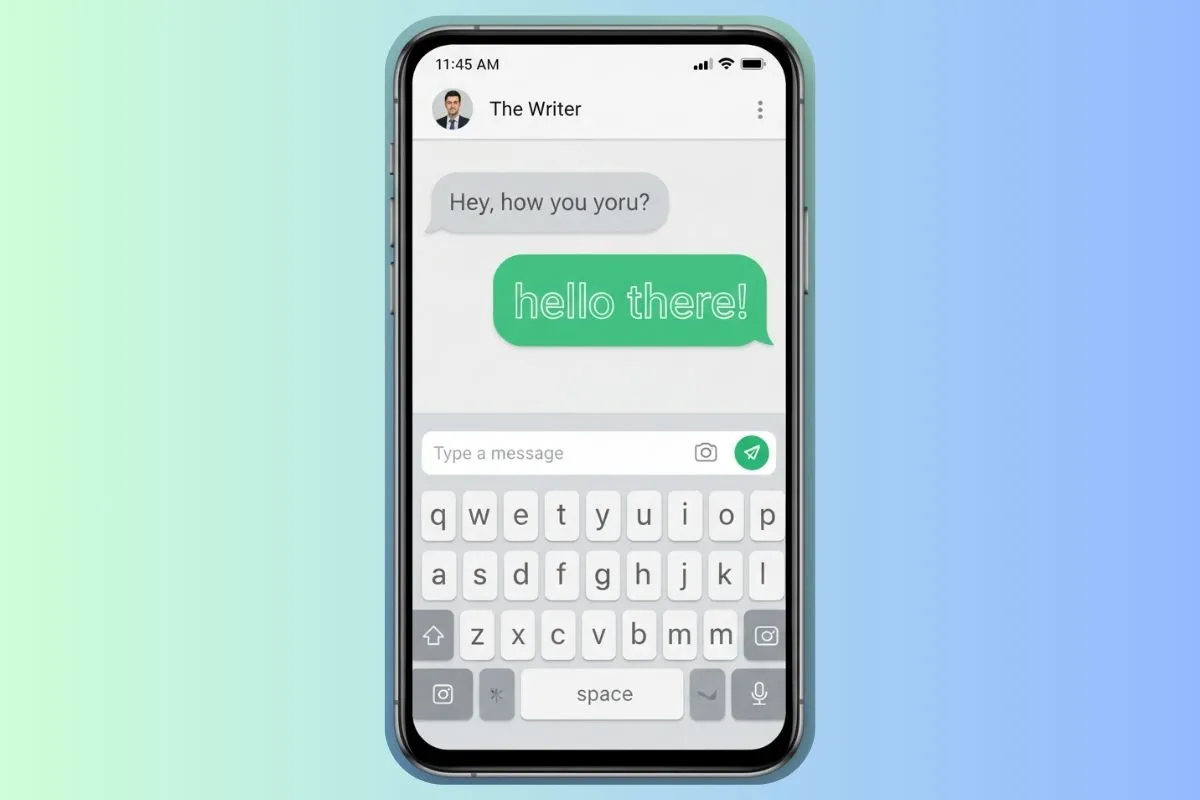
WhatsApp has become the world's most popular messaging platform, with over 2 billion active users sending billions of messages daily. While WhatsApp offers built-in text formatting options like bold, italic, and strikethrough, these basic options are limited. For truly fancy, eye-catching text that stands out in conversations, you need external font generators that create stylized Unicode text.
Fancy fonts for WhatsApp allow you to create playful, elegant, or cool-looking messages that add personality and visual interest to your chats. Whether you're sending personal messages, managing group chats, updating your status, or creating memorable group names, fancy fonts can transform ordinary text into something extraordinary that captures attention and expresses your unique style.
This comprehensive guide explores everything you need to know about using fancy fonts in WhatsApp, from basic implementation to advanced strategies for personal and professional communication.
Understanding WhatsApp's Built-in vs. Fancy Fonts
WhatsApp offers limited built-in formatting, but fancy fonts open up endless creative possibilities:
WhatsApp's Built-in Formatting
WhatsApp supports these basic text formats:
- Bold: *text* or **text**
- Italic: _text_ or __text__
Strikethrough:~text~ or ~~text~~Monospace:`text`
Limitations: These are basic formatting options that don't create truly unique, stylized text.
Fancy Fonts for WhatsApp
Fancy fonts use Unicode characters to create completely different text styles:
- Bold Mathematical: 𝐁𝐨𝐥𝐝 - Strong, impactful
- Elegant Script: 𝓢𝓬𝓻𝓲𝓹𝓽 - Sophisticated, elegant
- Boxed Style: 【Boxed】 - Unique, eye-catching
- Gothic: 𝔊𝔬𝔱𝔥𝔦𝔠 - Dark, dramatic
- Special Characters: Ŝp€c!@l - Edgy, alternative
Advantage: These create truly unique, memorable text that stands out in any conversation.
How to Use Fancy Fonts in WhatsApp
Using fancy fonts in WhatsApp is simple and requires no special apps or downloads:
Step 1: Choose a Fancy Text Generator
Select a reliable online fancy text generator. FontGenix is an excellent choice because it:
- Offers 200+ font styles
- Works perfectly with WhatsApp
- Provides real-time previews
- Includes one-click copy functionality
- Is completely free with no registration
- Works on mobile and desktop
Note: Any Unicode text generator that works for Instagram or other platforms will also work for WhatsApp, as they all use the same Unicode standard.
Step 2: Type Your Message
Enter the text you want to transform into the generator's input field. Consider:
- Length: Shorter messages (under 50 characters) work best with fancy fonts
- Purpose: What are you trying to convey? (excitement, elegance, fun, etc.)
- Context: Is this for a personal message, group chat, or status update?
Step 3: Select a Font Style
Browse through the available font styles and choose one that matches your message's tone:
- For Greetings: Elegant scripts or bold fonts
- For Fun Messages: Playful or decorative fonts
- For Important Announcements: Bold, impactful fonts
- For Group Names: Unique, memorable fonts
Step 4: Copy the Stylized Text
Click the copy button next to your chosen font style, or manually select and copy the text.
Step 5: Paste into WhatsApp
Open WhatsApp, navigate to your chat, and paste the fancy text. It will appear in the styled format.
Real-World Example
Transform a simple message like "Let's meet soon!" into various fancy styles:
- Bold Style: 𝗟𝗲𝘁'𝘀 𝗺𝗲𝗲𝘁 𝘀𝗼𝗼𝗻!
- Elegant Script: 𝓛𝓮𝓽'𝓼 𝓶𝓮𝓮𝓽 𝓼𝓸𝓸𝓷!
- Special Characters: Lệť'ş мệệŧ şộọn!
- Boxed Style: 【Let's meet soon!】
Each style conveys a different mood and makes your message more memorable and engaging.
Where Fancy Fonts Work in WhatsApp
Fancy fonts can be used in multiple areas of WhatsApp:
Personal Messages
Add personality to one-on-one conversations:
- Greetings: 𝓗𝓮𝓵𝓵𝓸! or 𝐇𝐞𝐥𝐥𝐨!
- Expressions: 𝓘 𝓵𝓸𝓿𝓮 𝔂𝓸𝓾! ❤️ or 𝐓𝐡𝐚𝐧𝐤 𝐲𝐨𝐮! 🙏
- Announcements: 【News】 or 𝐍𝐄𝐖𝐒
- Emphasis: Use fancy fonts to highlight important information
Best Practice: Use fancy fonts sparingly in personal messages - for key phrases or greetings only. Don't overuse or messages become hard to read.
Group Chats
Fancy fonts are perfect for group communication:
- Group Names: Create memorable, eye-catching group names
- Announcements: Make important group announcements stand out
- Event Invitations: Style event details for better visibility
- Rules and Guidelines: Use bold fonts for important group rules
Example Group Names:
- 【Family Chat】 - Boxed style for family groups
- 𝐅𝐫𝐢𝐞𝐧𝐝𝐬 - Bold style for friend groups
- 𝓦𝓸𝓻𝓴 𝓣𝓮𝓪𝓶 - Elegant script for professional groups
- 【Study Group】 - Boxed style for study groups
Status Updates
WhatsApp status updates are perfect for fancy fonts:
- Daily Updates: 𝓖𝓸𝓸𝓭 𝓜𝓸𝓻𝓷𝓲𝓷𝓰! ☀️
- Mood Expressions: 【Happy】 or 𝐇𝐚𝐩𝐩𝐲
- Quotes: Style inspirational quotes for visual impact
- Announcements: Make important updates stand out
Best Practice: Keep status updates short and impactful. Fancy fonts work best for brief, memorable messages.
Contact Names
You can use fancy fonts when saving contact names in WhatsApp:
- Create unique, memorable contact names
- Organize contacts with styled categories
- Make important contacts stand out in your list
Note: This only affects how contacts appear in your WhatsApp - others won't see your custom names.
Best Font Styles for WhatsApp
Not all fancy fonts work equally well in WhatsApp. Here are the best options:
Bold and Heavy Fonts
Bold fonts like 𝐁𝐨𝐥𝐝 or 𝗕𝗼𝗹𝗱 are excellent for WhatsApp because they:
- Are highly readable on mobile devices
- Stand out in group chats
- Convey importance and urgency
- Work well for announcements
- Display correctly on all devices
Best For: Important announcements, group rules, emphasis, call-to-actions
Example: 【IMPORTANT】 or 𝐈𝐌𝐏𝐎𝐑𝐓𝐀𝐍𝐓
Elegant Script Fonts
Script fonts like 𝓢𝓬𝓻𝓲𝓹𝓽 or 𝒮𝒸𝓇𝒾𝓅𝓉 work well for:
- Personal messages with emotional content
- Elegant greetings and expressions
- Sophisticated group names
- Romantic or heartfelt messages
Best For: Personal messages, elegant communications, sophisticated branding
Example: 𝓗𝓪𝓹𝓹𝔂 𝓑𝓲𝓻𝓽𝓱𝓭𝓪𝔂! 🎂 or 𝓘 𝓵𝓸𝓿𝓮 𝔂𝓸𝓾 ❤️
Boxed and Decorative Fonts
Boxed fonts like 【Boxed】 or 『Decorative』 are perfect for:
- Group names that need to stand out
- Creating visual breaks in messages
- Making announcements more noticeable
- Building memorable group identities
Best For: Group names, announcements, headers, memorable text
Example: 【Family】 or 【Work】
Playful and Fun Fonts
Playful fonts like ⓟⓛⓐⓨⓕⓤⓛ or bubble styles work for:
- Casual friend groups
- Fun messages and jokes
- Lighthearted communications
- Youth-oriented content
Best For: Casual chats, fun groups, playful messages
Example: ⓗⓐⓟⓟⓨ ⓑⓘⓡⓣⓗⓓⓐⓨ! 🎉
Creative Uses for WhatsApp Fancy Fonts
Fancy fonts can enhance various types of WhatsApp communication:
Making Greetings More Engaging
Transform ordinary greetings into memorable messages:
- Regular: "Good morning!"
- Styled: 𝓖𝓸𝓸𝓭 𝓜𝓸𝓻𝓷𝓲𝓷𝓰! ☀️ or 𝐆𝐎𝐎𝐃 𝐌𝐎𝐑𝐍𝐈𝐍𝐆! 🌅
Impact: Styled greetings are more memorable and show you put effort into your messages.
Enhancing Jokes and Humor
Fancy fonts can add visual humor to jokes:
- Use playful fonts for punchlines
- Style setup text differently from punchlines
- Create visual emphasis for comedic timing
Example: 【Joke】 Why did the chicken cross the road? 𝐓𝐨 𝐠𝐞𝐭 𝐭𝐨 𝐭𝐡𝐞 𝐨𝐭𝐡𝐞𝐫 𝐬𝐢𝐝𝐞!
Creating Memorable Invitations
Style event invitations for better visibility:
- Event Name: Use bold or decorative fonts
- Date/Time: Style important details
- Location: Make address stand out
Example:
【PARTY】
𝐃𝐚𝐭𝐞: Saturday, Jan 20
𝐓𝐢𝐦𝐞: 7 PM
𝐋𝐨𝐜𝐚𝐭𝐢𝐨𝐧: My place
Organizing Group Information
Use fancy fonts to organize group chat information:
- Section Headers: 【RULES】, 【EVENTS】, 【UPDATES】
- Important Points: Use bold fonts for key information
- Categories: Style different types of content differently
Compatibility and Testing
Not all fonts display correctly on every device. Here's how to ensure compatibility:
Understanding Unicode Compatibility
Fancy fonts use Unicode characters, which are supported by:
- Modern smartphones (iOS and Android)
- Most WhatsApp versions
- Web WhatsApp
- Desktop WhatsApp
Potential Issues:
- Older devices may not support all Unicode characters
- Some very rare Unicode characters may not display
- Different operating systems may render fonts slightly differently
Testing Your Fancy Fonts
Before sending fancy fonts to a wide audience:
- Test on Your Device: Send the message to yourself first
- Check Group Compatibility: Test in a small group before using widely
- Verify Readability: Ensure the font is readable on mobile screens
- Test Different Devices: If possible, check on iOS and Android
- Ask for Feedback: Have friends confirm they can see the font correctly
Best Practices for Compatibility
- Use more common Unicode character sets (bold, script, boxed)
- Avoid extremely rare or complex characters
- Test before using in important messages
- Have a backup plan with regular text if fonts don't work
- Keep styled text short for better compatibility
Professional Use Cases
Fancy fonts aren't just for personal use - they can enhance professional WhatsApp communication:
Business Group Chats
For work-related groups, use professional fonts:
- Group Names: 【Team Meeting】 or 𝐓𝐞𝐚𝐦 𝐌𝐞𝐞𝐭𝐢𝐧𝐠
- Announcements: Use bold fonts for important updates
- Meeting Reminders: Style dates and times for visibility
- Project Updates: Organize information with styled headers
Best Practice: Use professional, readable fonts. Avoid overly decorative styles in business contexts.
Customer Communication
For businesses using WhatsApp for customer service:
- Use bold fonts for important information (order numbers, dates)
- Style greetings professionally: 𝐇𝐞𝐥𝐥𝐨! 𝐇𝐨𝐰 𝐜𝐚𝐧 𝐰𝐞 𝐡𝐞𝐥𝐩?
- Make confirmations stand out: 【Confirmed】
- Organize information clearly with styled sections
Event Management
For organizing events via WhatsApp:
- Style event names for memorability
- Use bold fonts for critical details (time, location)
- Create styled RSVP requests
- Organize event information with headers
Common Mistakes to Avoid
Avoid these common WhatsApp fancy font mistakes:
Mistake 1: Overusing Fancy Fonts
Problem: Using fancy fonts for entire messages makes them hard to read
Solution: Use fancy fonts for key phrases only. Keep main content in regular text.
Mistake 2: Not Testing Compatibility
Problem: Assuming all fonts work on all devices
Solution: Always test before sending to groups. Send to yourself first.
Mistake 3: Choosing Unreadable Fonts
Problem: Selecting fonts that are too complex or stylized
Solution: Prioritize readability. Choose simpler fonts for important information.
Mistake 4: Ignoring Context
Problem: Using playful fonts in professional contexts or vice versa
Solution: Match font style to context. Professional for work, playful for friends.
Advanced Tips and Tricks
Take your WhatsApp fancy fonts to the next level:
Combining Fonts with Emojis
Emojis and fancy fonts work beautifully together:
- 𝓗𝓪𝓹𝓹𝔂 𝓑𝓲𝓻𝓽𝓱𝓭𝓪𝔂! 🎂 - Elegant with emoji
- 【Party】🎉 - Boxed with celebration emoji
- 𝐂𝐨𝐧𝐠𝐫𝐚𝐭𝐮𝐥𝐚𝐭𝐢𝐨𝐧𝐬! 🎊 - Bold with party emoji
Creating Visual Hierarchy
Use different font styles to create visual organization:
- Headers: Use bold or boxed fonts
- Body: Use regular text
- Emphasis: Use bold or script fonts
Building Group Identity
Create consistent group branding:
- Use the same font style for group name
- Style group rules consistently
- Create themed announcements
- Build recognition through consistent styling
Conclusion
Fancy fonts for WhatsApp are powerful tools for enhancing communication, building group identity, and expressing your unique personality. Whether you're sending personal messages, managing group chats, updating your status, or organizing professional communications, fancy fonts can transform ordinary text into something memorable and engaging.
The key to success is using fancy fonts strategically - for key phrases, important information, and memorable elements - while maintaining readability and compatibility. Test your fonts before using them widely, match font styles to your context, and use them consistently to build recognition.
Start enhancing your WhatsApp communication today with FontGenix's free fancy font generator. With 200+ font styles, real-time previews, and one-click copying, you can create stunning, memorable messages that stand out in any conversation. Transform your ordinary WhatsApp messages into something extraordinary and watch as your communications become more engaging, memorable, and effective.