
Sinhala Font Style Generator
Transform your Sinhala text into stunning calligraphy, traditional handwriting, and display styles. Copy styled text as images, download solid/transparent PNG previews, or download TTF files instantly.
Typing Guide: Type in Sinhala (recommended) or English (may not convert perfectly for some fonts). Copy/download as PNG or TTF.
4u Araliya
wdhqfndajka
4u Manel
wdhqfndajka
Ananda Bold
wdhqfndajka
A Aaliya Plain
wdhqfndajka
AHNelum
wdhqfndajka
4u Amantha
wdhqfndajka
4u Asiri
wdhqfndajka
4u Malith
wdhqfndajka
AMALEE Plain
wdhqfndajka
Ams Arunalu
wdhqfndajka
0KDARALIYA
wdhqfndajka
0KDMANEL
wdhqfndajka
What is a Sinhala Font Style Generator?
A Sinhala Font Style Generator is an advanced online playground built specifically to help graphic designers, video editors, and DTP layout artists preview, format, and download Sinhala text in beautiful calligraphic layouts. While standard Sinhala Unicode is excellent for reading websites or sending messages, its native typeface variations are limited. Designers frequently rely on legacy keymap configurations like DL-Manel, 4U-Araliya, or AMALEE to produce artistic banners, wedding invitations, and YouTube thumbnails.
Our generator features a built-in, real-time Unicode-to-Legacy Roman converter, which automatically maps typed Sinhala characters to match the layout specifications of legacy fonts. You can preview 110+ premium styles, adjust design borders, add beautiful color gradients, copy the result as an image, or download the TrueType (.ttf) files to use locally.
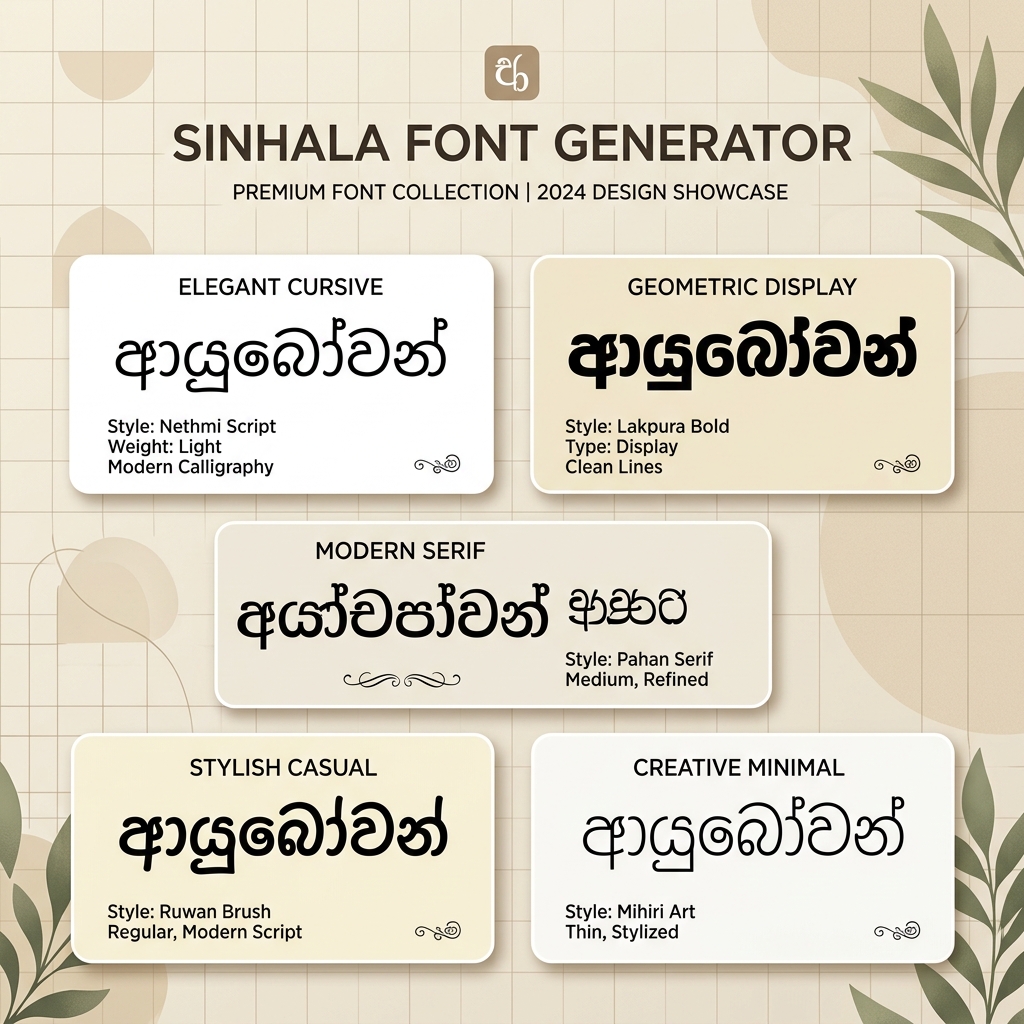
Why Use Custom Sinhala Typography in Graphic Design?
Typography is the silent voice of design. In Sri Lanka, the Sinhala script has a circular, flowing aesthetic that adapts beautifully to classic posters, local banner advertisements, and cultural cards. Default system fonts like Nirmala UI or Iskoola Pota look highly standardized and lack the personal touch, energy, and artistic curves required for professional-grade design projects.
By downloading and utilizing high-quality fonts like Araliya, Manel, Ananda, or Nelum, you give your Sinhala layouts a premium look. Our online tool saves you hours of manual transcription by showing you exactly what your text will look like in 110+ font styles at the click of a button.
Types of Sinhala Fonts Available
| Font Category | Examples | Primary Use Cases |
|---|---|---|
| 4U / DL / FM styles (Legacy Roman) | 4u-Araliya, 4u-manel, AMALEE_Plain, AA_Anurada_Normal, AHNelum | Traditional banners, wedding invitation cards, local banners, and printed magazines. |
| Modern Display & Headings | Ananda Bold, aKandyNewSupplement, Aluthge, Senkadagala | YouTube video thumbnails, advertising poster headings, UI labels, and digital graphics. |
Tips for Installing and Using TTF Fonts on Mobile & Desktop
Once you download your favorite font style files from FontGenix in TTF (TrueType Font) format, here is how you can use them across popular design applications:
How to Install Fonts on Windows & macOS
Double-click the downloaded .ttf file on your computer. On Windows, click the Install button at the top of the preview window. On macOS, click Install Font in the Font Book window. Once installed, these fonts will be available automatically in MS Word, Adobe Photoshop, Premiere Pro, CorelDraw, and Illustrator.
How to Import Fonts to PicsArt & PixelLab (Mobile)
Mobile designers widely use apps like PicsArt, PixelLab, or Kinemaster to make YouTube thumbnails and banners. To use our fonts in PicsArt, copy the downloaded TTF file to the PicsArt/Fonts folder on your phone. In PixelLab, navigate to the Font section, click the My Fonts tab, click the document folder icon, select the directory where you downloaded the file, and import it.
How to Upload Fonts to Canva
If you have a Canva Pro subscription, you can upload custom fonts to your Brand Kit. Navigate to your Canva home page, select Brand from the sidebar, click Upload a Font under the Brand Fonts section, select the downloaded TTF file, and confirm the upload. You can now use your custom Sinhala font in all Canva layouts.
Explore More Typography Tools
Need styles for other alphabets or symbols? Check out our free tools:
➤ Main Font Generator: Style English/Latin text into 200+ stylish variations on the FontGenix Homepage.
➤ English Font Style Generator: Convert English text into 200+ Google Fonts and Unicode variations on our English Font Style Generator.
➤ Hindi Font Style Generator: Convert Hindi Devanagari text into 90+ stylish fonts on our Hindi Font Style Generator.
➤ Nepali Font Style Generator: Convert Nepali Devanagari text into 180+ stylish fonts on our Nepali Font Style Generator.
➤ Marathi Font Style Generator: Convert Marathi Devanagari text into 140+ stylish fonts on our Marathi Font Style Generator.
➤ Odia Font Style Generator: Convert Odia script text into 57+ premium calligraphy styles on our Odia Font Style Generator.
➤ Punjabi Font Style Generator: Convert Punjabi script text into 114+ stylish calligraphy styles on our Punjabi Font Style Generator.
➤ Telugu Font Style Generator: Convert Telugu script text into 70+ premium calligraphy styles on our Telugu Font Style Generator.
➤ Tamil Font Style Generator: Convert Tamil script text into 77+ stylish calligraphy styles on our Tamil Font Style Generator.
➤ Malayalam Font Style Generator: Convert Malayalam script text into 204+ stylish calligraphy styles on our Malayalam Font Style Generator.
➤ Kannada Font Style Generator: Convert Kannada script text into 85+ premium calligraphy styles on our Kannada Font Style Generator.
➤ Bengali Font Style Generator: Convert Bengali script text into 88+ stylish calligraphy styles on our Bengali Font Style Generator.
➤ Gujarati Font Style Generator: Convert Gujarati script text into 48+ stylish calligraphy styles on our Gujarati Font Style Generator.
➤ Arabic Font Style Generator: Convert Arabic script text into 260+ stylish calligraphy styles on our Arabic Font Style Generator.
➤ Cute Font Generator: Decorate standard text with starry borders, bubbles, and flowers on our Cute & Pretty Font Generator.
➤ Fancy Numbers Generator: Convert digits into circled, boxed, or Roman numerals on the Fancy Numbers Font Generator.
Frequently Asked Questions
The Sinhala Font Style Generator is an online utility that enables you to style Sinhala text in 110+ custom Sinhala fonts. You can write in Sinhala, preview the output instantly, copy it as an image, or download solid/transparent PNGs and TTF files.
You can copy the styled text as a high-quality PNG image to your clipboard by clicking the 'Copy (as image)' button, or download it as a PNG file with a solid white or transparent background using the 'PNG download' and 'Transparent' buttons.
You can download the raw TTF font files directly by clicking the 'TTF download' button next to any font style. This allows you to install the font family locally on your operating system and use it in tools like Photoshop, CorelDraw, Illustrator, or MS Word.
Yes! To share styled calligraphy text on social media like Instagram, WhatsApp, or TikTok, click the 'Copy (as image)' button and paste it directly as a graphic preview in your stories, chat feeds, or posts.
You can write Sinhala text using standard Sinhala Unicode keyboards on your phone or PC. Our tool also has a built-in translator that automatically translates English inputs into Sinhala characters in real-time.
Yes, all Sinhala fonts on FontGenix are 100% free to download and use for personal or educational projects. For commercial usage, please refer to the specific licensing terms of individual font authors.
Yes! Once you download the TTF files from our generator, you can install them on your system to use in professional design software like Adobe Photoshop, CorelDraw, and Illustrator, or import them directly into video editing apps like Kinemaster and graphic design tools like Canva.