
Marathi Font Style Generator ✍️
Transform your Devanagari Marathi text into stunning calligraphy, handwriting, and designer styles. Copy styled text as images, download solid/transparent PNG previews, or download TTF files instantly.
Typing Guide: Type in Marathi (recommended) or English (may not convert perfectly for some fonts). Copy/download as PNG or TTF.
Advertisement
namaskar maharaVoxr
namaskar maharaVoxr
namaskar maharaVoxr
namaskar maharaVoxr
namaskar maharaVoxr
namaskar maharaVoxr
namaskar maharaVoxr
namaskar maharaVoxr
namaskar maharaVoxr
namaskar maharaVoxr
namaskar maharaVoxr
namaskar maharaVoxr
What is a Marathi Font Style Generator?
A Marathi Font Style Generator is an advanced web-based typography utility designed to help designers, bloggers, and content creators style Marathi (Devanagari) text in various artistic fonts. Marathi uses the same Devanagari script as Hindi and Sanskrit, which means the same font system applies. This generator compiles 140+ premium Marathi font files — including iconic Shivaji DTP fonts, AMS calligraphy series, and modern Unicode Google Fonts — into one easy-to-use playground, showing real-time previews of how your text looks in handwriting, display, and traditional calligraphy styles.
Our generator supports both modern Unicode Devanagari fonts (compatible across all modern web browsers and mobile devices) and classic legacy fonts (including the popular Shivaji series, AMS Calligraphy, and Kiran fonts) that are widely used by DTP professionals and graphic designers in Maharashtra.
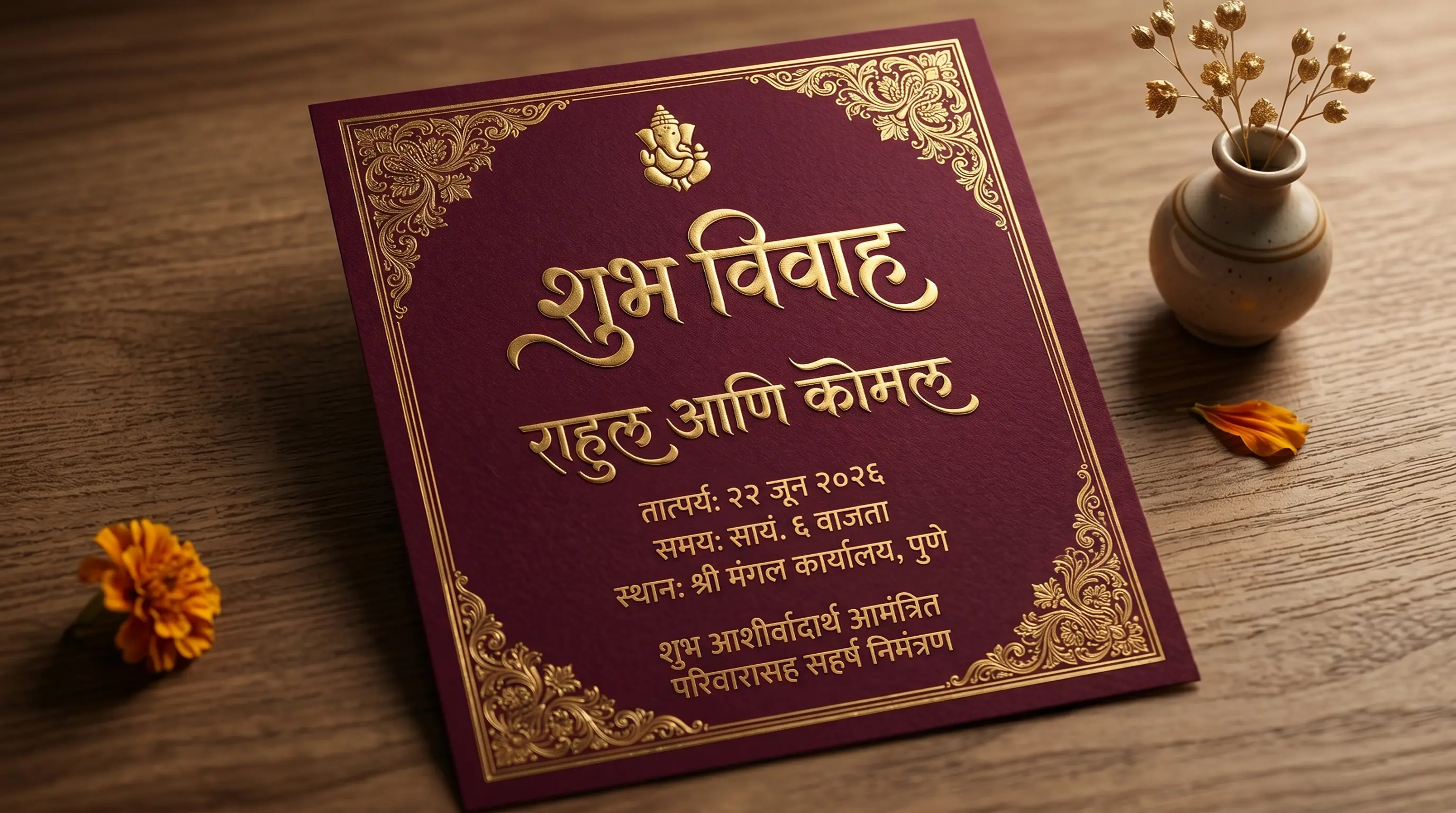
The History of Marathi Typography
Marathi, one of India's major languages spoken by over 83 million people primarily in Maharashtra, has a rich typographic history. The Devanagari script used for Marathi has been in existence for over a thousand years, evolving from ancient Brahmi script. Marathi printing began in Goa in the 16th century with the help of Portuguese missionaries, making it one of the first Indian languages to be typeset and printed.
In the era of digital publishing, the Shivaji font family became the de facto standard for Marathi newspaper typography and office documents across Maharashtra. Named after the legendary Maratha warrior king Chhatrapati Shivaji Maharaj, these fonts remain popular in the Marathi DTP (Desktop Publishing) community even today. Modern Unicode fonts like Mukta, Baloo 2, and Kalam have now made Marathi typography accessible on mobile and web platforms without requiring font installation.
Understanding Unicode vs. Legacy (DTP) Font Systems
When working with Marathi typography, you will encounter two primary font architectures:
1. Modern Unicode Devanagari Fonts (Mukta, Baloo2, Halant)
Unicode is the international standard for text representation. Standard Android/iOS keyboards and Google Input Tools type Unicode by default. When you copy Unicode Marathi text, it remains standard Marathi regardless of what font is applied. It is compatible with Instagram bios, WhatsApp chat, Facebook status updates, and web pages because the text is stored as semantic Devanagari characters.
2. Legacy DTP Fonts (Shivaji, AMS Calligraphy, Kiran)
Before Unicode, software typed Marathi by replacing Latin letters with Devanagari glyphs. These fonts are called legacy or DTP fonts. Most highly-decorative Marathi calligraphy and script fonts (like Shivaji 01-03, AMS Manthan, AMS Matarani, and various AMS series) are designed this way. If you copy a legacy font string, it looks like gibberish English letters. However, in professional DTP tools like Adobe Photoshop, CorelDraw, or MS Word, pasting this code and selecting the corresponding Shivaji or AMS font instantly displays beautiful Marathi calligraphy.
How to Generate and Use Custom Marathi Calligraphy in Design
Marathi shares the Devanagari script with Hindi, but it is not the same typographic job. Marathi orthography leans on letterforms Hindi barely uses — the eyelash reph in words like दर्या, the open ॲ vowel in ॲड. and बॅंक, and consonant clusters such as ल्ह, न्ह and म्ह — and a surprising number of otherwise handsome display fonts either lack those glyphs outright or draw them badly. The workflow below is written to surface that before it reaches a printer.
Step 1 — Input Marathi Text
Type your Marathi into the box at the top of the page using the Marathi InScript layout, Gboard, or a phonetic tool such as Google Input Tools. Use the words you will actually set — a real name, a slogan, the mandal title — rather than a filler phrase, because Marathi's distinguishing characters only appear in real copy. If your headline contains ॲ, ऱ् or a half-form like ल्ह, put it in the test string now; that single line will disqualify half the fonts in seconds.
Step 2 — Preview and Choose Style
Now read the previews critically. Switch to the Unicode tab for web and app work, or the Legacy / AMS tab for the Shivaji, Kiran and AMS families that Maharashtra's print trade runs on. Watch for three failure modes specific to Marathi: an ॲ that renders as a hollow box or falls back to a different, mismatched font mid-word; an eyelash reph that has been silently substituted with a Hindi-style hook reph above the shirorekha; and a heavy display face where the ल्ह or म्ह conjunct merges into an unreadable mass. Push the size slider up to poster scale to check the last one — a banner for a Ganeshotsav mandal or a Shiv Jayanti hoarding is read from across a street, and a conjunct that closes up at 200px is a wasted print run.
Step 3 — Copy as Image or Download PNG
Once a style survives that test, hit Copy (as image) to lift the rendered line straight to your clipboard, or take a PNG download / Transparent file. The image carries the shaping with it — the reph, the matras and every conjunct are already resolved as pixels — which is why this is the safest way to move a Marathi headline into a layout, a Kinemaster title card, or a local flex-board vendor's template. Transparent PNGs are the standard choice for festival banners and political and municipal signage, where the type has to sit over a photograph or a saffron gradient with no white box behind it.
Step 4 — Use in Photoshop or Install TTF
If you need live editable text, install the TTF and work in Photoshop, Illustrator or CorelDraw. For Unicode Marathi faces such as Mukta or Halant you must first turn on Photoshop's Middle Eastern & South Asian text engine under Preferences → Type and relaunch, or Devanagari will compose with no shaping at all and your matras will scatter. Legacy Shivaji, Kiran and AMS fonts skip that problem entirely by skipping Unicode: each Latin key is wired to a finished Marathi glyph, so you install the font, type on an English keyboard, and the letterforms appear. That is exactly why Marathi newspapers, wedding-card presses and sign painters across Maharashtra never migrated off Shivaji — and also why a Shivaji headline pasted into a website or an Instagram caption arrives as meaningless Latin gibberish. For anything that must remain searchable, machine-readable, or copy-pasteable, stay in Unicode; use the legacy families for print and paste them only into DTP software.
Types of Marathi Fonts Available
| Font Category | Examples | Primary Use Cases |
|---|---|---|
| Unicode Display Fonts | Mukta, Baloo 2, Kalam, Eczar, Halant | Web design, blogging, app interfaces, and social media text. |
| Shivaji DTP Series | Shivaji 01, Shivaji 02, Shivaji 03 | Newspapers, official documents, Maharashtra government typography, and signboards. |
| AMS Calligraphy Style | AMS Manthan, AMS Matarani, AMS Kesri, AMS Rekha 3 | Banner designs, wedding invitations, festival posters, brand logos, and YouTube thumbnails. |
| Handwriting Styles | AMS Handwriting 1-4, DG Hand, Kalam | Lettering designs, creative quotes, informal designs, and book covers. |
| Decorative Display Styles | AMS Leafy, AMS Wood, AMS SimaRekha, Glassy | Special seasonal banners, devotional graphics, and high-contrast titles. |
Why Use Marathi Calligraphy Fonts in Graphic Design?
Typography is the backbone of visual storytelling. In Maharashtra, Marathi calligraphy holds deep cultural and aesthetic value. Standard fonts often lack the personality, curves, and flourish required for festive banners, Ganeshotsav decorations, wedding cards, book covers, and local brand designs. Incorporating premium AMS calligraphy and Shivaji-style DTP fonts instantly commands attention and gives design projects a premium, hand-crafted feel.
Using our Marathi font changer, you can experiment with different styles in real time before selecting the perfect look. Whether it is a bold headline for a festival flyer or a soft cursive script for a poetry post, having a diverse font list is essential for any modern graphic designer working with Marathi content.
Tips for Installing and Using TTF Fonts on Mobile & Desktop
A Marathi TTF installs like any other font. What varies is whether the application on the other side will shape the script — and whether it can even accept the kind of text your font expects. Here is what to check on each platform before you build a whole layout around a font.
How to Install Fonts on Windows & macOS
Double-click the .ttf and press Install on Windows, or Install Font in the macOS Font Book. After that, sort your fonts mentally into two piles, because they take different inputs. Unicode Marathi families accept real Devanagari and shape it through the OS layout engine, so they work in MS Word, Illustrator, Premiere Pro and anywhere text needs to stay searchable. Legacy Shivaji, Kiran and AMS families are Latin-encoded fonts carrying Marathi glyphs: you keep your keyboard in English, type ASCII, and the font paints Marathi. Keep the two piles separate in your font manager and name your layers accordingly — the classic Maharashtra DTP disaster is a press file where a Shivaji headline was re-typed in Unicode by someone downstream, so the whole banner reflows into Latin nonsense on the RIP.
How to Import Fonts to PicsArt & PixelLab (Mobile)
Drop the TTF into the PicsArt/Fonts folder for PicsArt, or use PixelLab's My Fonts tab and its folder-picker icon to load it from your downloads. Then run a one-line sanity test: type a word that uses the eyelash reph or an ॲ. Mobile editors are the weakest link in the Devanagari chain — several place glyphs by codepoint with no complex-text shaping, which means Marathi's half-forms stay unjoined and the pre-base ि matra never moves in front of its consonant. If the test word looks wrong, do not spend an evening fighting the app. Set the line here in the correct font, use Copy (as image) or a transparent PNG, and import it as a graphic layer instead — the shaping is already frozen into pixels, so the app cannot get it wrong. Legacy Shivaji and AMS files, by contrast, usually import into these apps and render perfectly first try, precisely because there is no shaping for the app to fail at. If you want that same custom Marathi type inside Canva Pro, upload the TTF under Brand → Brand Fonts — just remember a Shivaji face there needs the ASCII keystroke code pasted in, not Devanagari.
Explore More Typography Tools
➤ Main Font Generator: Style Latin/English text into 250+ stylish variations on the FontGenix Homepage.
➤ English Font Style Generator: Convert English text into 360+ Google Fonts and Unicode variations on our English Font Style Generator.
➤ Arabic Font Style Generator: Convert Arabic script text into 260+ stylish calligraphy styles on our Arabic Font Style Generator.
➤ Sinhala Font Style Generator: Convert Sinhala script text into 110+ stylish calligraphy styles on our Sinhala Font Style Generator.
➤ Japanese Font Style Generator: Convert Japanese script text into 68+ stylish fonts on our Japanese Font Style Generator.
➤ Hindi Font Style Generator: Convert Hindi Devanagari text into 90+ stylish fonts on our Hindi Font Style Generator.
➤ Gujarati Font Style Generator: Convert Gujarati script text into 48+ stylish calligraphy styles on our Gujarati Font Style Generator.
➤ Nepali Font Style Generator: Convert Nepali script text into 180+ stylish calligraphy styles on our Nepali Font Style Generator.
➤ Odia Font Style Generator: Convert Odia script text into 57+ stylish calligraphy styles on our Odia Font Style Generator.
➤ Punjabi Font Style Generator: Convert Punjabi script text into 114+ stylish calligraphy styles on our Punjabi Font Style Generator.
➤ Bengali Font Style Generator: Convert Bengali script text into 88+ stylish calligraphy styles on our Bengali Font Style Generator.
➤ Tamil Font Style Generator: Convert Tamil script text into 77+ stylish calligraphy styles on our Tamil Font Style Generator.
➤ Telugu Font Style Generator: Convert Telugu script text into 70+ premium calligraphy styles on our Telugu Font Style Generator.
➤ Malayalam Font Style Generator: Convert Malayalam script text into 204+ stylish calligraphy styles on our Malayalam Font Style Generator.
➤ Kannada Font Style Generator: Convert Kannada script text into 85+ premium calligraphy styles on our Kannada Font Style Generator.
Frequently Asked Questions
The Marathi Font Style Generator is an online utility that enables you to style Devanagari Marathi text in 140+ custom fonts (including Shivaji DTP, AMS Calligraphy, traditional script, handwriting, and modern Google fonts). You can type in Marathi, preview the output instantly, copy it as an image, or download solid/transparent PNGs and TTF files.
You can copy the styled text as a high-quality PNG image to your clipboard by clicking the 'Copy (as image)' button, or download it as a PNG file with a solid white or transparent background using the 'PNG download' and 'Transparent' buttons.
Shivaji fonts are the most popular legacy DTP (Desktop Publishing) fonts for Marathi typography in Maharashtra. They are widely used in newspapers, magazines, government documents, signboards, and book covers across the state. Our generator includes Shivaji 01, 02, and 03 for both preview and TTF download.
Yes! Standard Unicode fonts work natively on social media. For legacy calligraphy fonts, click the 'Copy (as image)' button and paste it directly as a graphic preview in your Instagram, WhatsApp, or Facebook stories, posts, or chats.
You can write Devanagari Marathi text using standard keyboards on your phone or PC. Alternatively, you can use Google Input Tools (Marathi Transliteration) to type phonetically in English and have it automatically converted into Marathi Devanagari in real-time before pasting it into our input box.
Yes, all Marathi and AMS calligraphy fonts on FontGenix are 100% free to download and use for personal or educational projects. For commercial usage, please refer to the specific licensing terms of individual font authors.
Yes! Once you download the TTF files from our generator, you can install them on your system to use in professional design software like Adobe Photoshop, CorelDraw, and Illustrator, or import them directly into video editing apps like Kinemaster and graphic design tools like Canva.