
PUBG Name Style Generator
Create professional nicknames and clan tags for PUBG Mobile. Combine styled characters with sniper icons, dividers, and custom headers.
Custom Nickname Designer
Generated Nickname Variations (301)
What is the PUBG Name Style Generator?
The PUBG Name Style Generator is a free online nickname editor designed for PUBG Mobile, BGMI, and PUBG New State players. Since standard mobile keyboards do not support gaming symbols, our tool helps you convert simple text strings into stylized Unicode fonts. Stand out in match feeds and clan lobbies with customized text structures, border decorations, and unique sniper emblems.
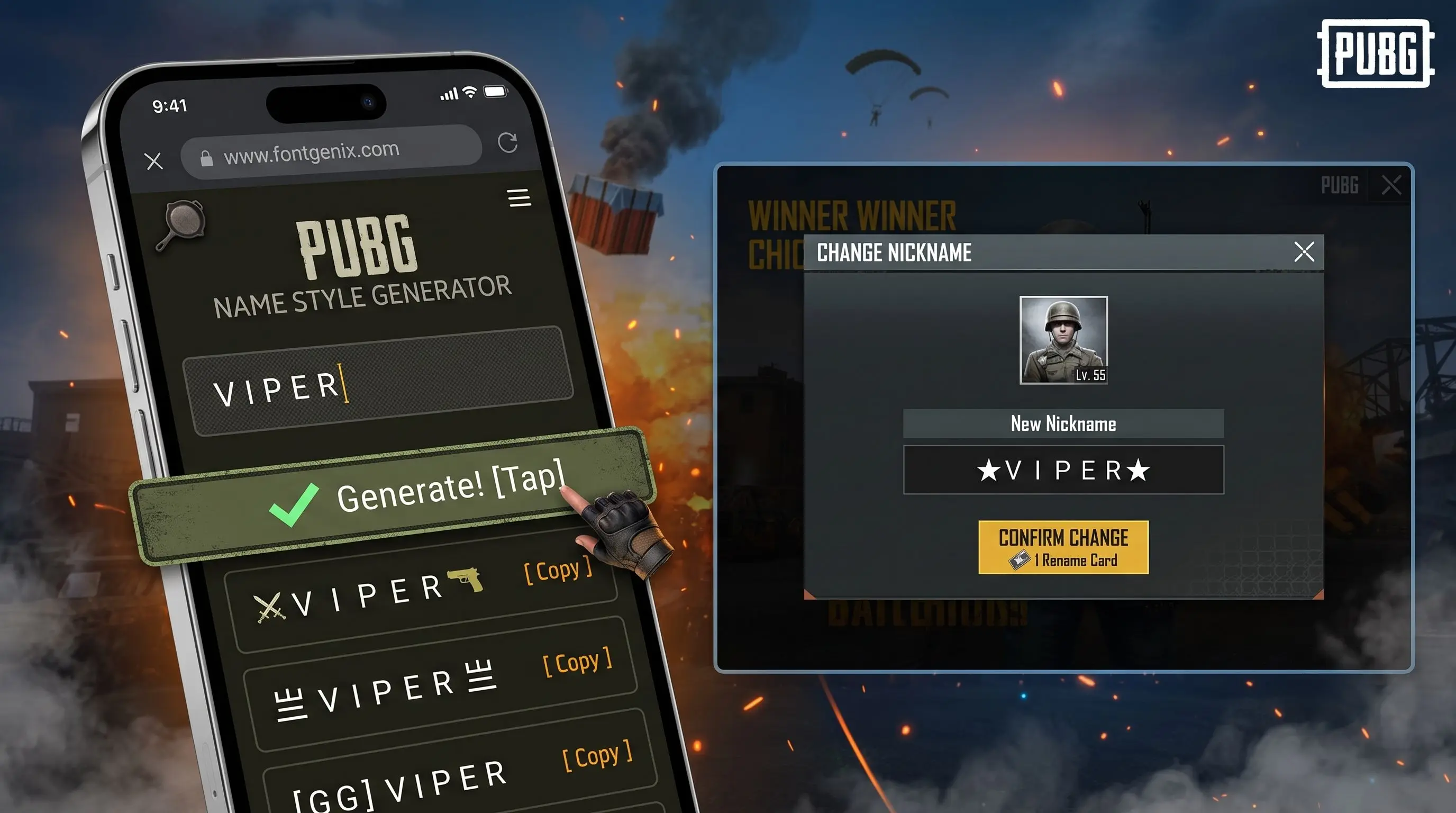
How to Change Your Nickname in PUBG Mobile
Changing your name in PUBG Mobile requires a Rename Card. Follow these instructions to apply your styled text:
- Copy: Input your nickname above, browse the generated designs, and copy your favorite layout by clicking it.
- Open Inventory: Launch PUBG Mobile and tap on the Inventory button at the bottom navigation bar.
- Use Rename Card: Tap the crate/box icon on the right menu, locate the Rename Card (ID Card icon), and click Use.
- Paste: Tap the name input box, paste the copied styled text, and click OK.
Popular PUBG Nickname Symbols & Meanings
Competitive PUBG players and clan leaders use specific symbols to create clean, structured nicknames. Here are the most popular symbols and how they are used:
| Symbol / Layout | Designation | Use Case & Meaning |
|---|---|---|
| ๛ (Thai Character Kho Khot) | Sniper / Dragon tail | Placed at the end of nicknames to represent sniper precision or a dragon tail. |
| 々 (Noma Symbol) | Clan Separator | Commonly used to divide a clan tag from the player's personal name. |
| 〆 (Shime Character) | End / Signature mark | Used at the end of clan names or player names to signify completion. |
| 丨 (Kuan Divider) | Vertical Spaceline | Perfect as a space separator between clan prefixes and gamer names. |
How to Space Out Names in PUBG Mobile
Because standard spaces are rejected by PUBG's name rules, players often use the vertical bar (丨), bullets (•), or special Unicode blank characters to space out their letters. Using these separator characters lets you structure your nickname cleanly and ensures your clan tag is clearly distinguished from your name.
Creative PUBG & BGMI Nickname Ideas
Stuck on name styles? Here are some top-tier creative nickname configurations for PUBG Mobile and BGMI (Battlegrounds Mobile India) that you can copy and customize:
- Sniper & Gunman Styles: ▄︻デ┳═ーSniper, ⌐╦╦═─KILLER, ︻╦╤─HEADSHOT, 🔫ASSAULTER🔫
- Clan Leader & Elite Styles: 『LEGEND』, ★PLAYER★, 𓊈𝓓𝓔𝓐𝓣𝓗𓊉, 〆CLAN LEADER〆, ツ BOSS ツ
- Aesthetic & Cryptic Designs: 乂 丂ム爪ひ尺卂丨 乂, 么 𝕯𝕰𝕸𝕺𝕹 么, 𓊈 𝖲𝖧𝖠𝖣𝖮𝖶 𓊉, 🛸 𝖢𝖮𝖲𝖬𝖨𝖢 🛸
BGMI and PUBG Mobile Name Rules & Restrictions
Before changing your tag, make sure your customized name conforms to the battle royale character configuration rules:
- Length Limit (14 Characters): PUBG and BGMI limit names to exactly 14 characters. Special brackets, decorations, and spacing symbols contribute to this limit, so keep the base characters short.
- Byte-Weight of Emojis and Symbols: Standard characters weigh 1 byte, while special ornaments can consume up to 3 or 4 bytes. If the name fails to save, try reducing the number of complex side symbols.
- Banned Unicode Blocks: The game's built-in fonts filter out emoji ranges and some complex scripts. If a symbol renders as a blank question mark or square box, the system does not support it. We recommend using classic, tested text symbols (e.g.
〆,々,丨,ツ).
How to Get a Free Rename Card in BGMI & PUBG Mobile
Paying 180 UC for every single nickname change can be costly. BGMI and PUBG Mobile offer a few official ways to obtain a Rename Card without spending any real money:
- Progress Missions Checkpoint: If you are leveling up a new account, check your Progress Missions. Completing Level 3 and Level 10 missions awards a free Rename Card. Ensure you complete all previous missions to unlock them.
- Returner Event Missions: If you do not log in to PUBG Mobile or BGMI for 30 consecutive days, the game triggers a "Returner Event" when you log back in. Completing simple returnee missions lets you redeem a free 30-day or permanent Rename Card.
- Crew Shop Coins: Join a Crew and participate in Crew Challenges. Doing so rewards you with Crew Verification Coins. You can save up these coins and buy a Rename Card directly from the Crew Shop without spending UC.
Understanding PUBG Clan Name Separators (丨, 〆, 々)
When formatting a professional esports layout, choosing the right separator changes the aesthetic balance of your tag. Here is how they are used:
- The vertical line (丨): Acts as a clean wall spacer. It is perfect for separating a 3-letter clan initials prefix from the main nickname (e.g.
𝖲𝖮𝖴𝖫丨𝖬𝗈𝗋𝗍𝖺𝗅). - The noma character (々): Denotes abbreviation repetition but is used as a stylish tag wrapper or space filter (e.g.
々𝖲𝖭𝖨𝖯𝖤𝖱々). - The shime signature (〆): A final slash overlay used at the end of the name. It denotes the absolute end of the tag and looks extremely professional in kill feeds (e.g.
𝖯 𝗅𝖺𝗒𝖾𝗋〆).
Guidelines for Structuring PUBG Clan Names
For competitive players and esports squads, having a unified clan name structure builds strong brand recognition. Here are some popular layouts:
- Standard Tag Structure: Use a 3-letter clan prefix followed by a divider symbol and your personal tag (e.g., 𝗧𝗡𝗚丨𝘚𝘯𝘪𝘱𝘦𝘳).
- Esports Bracket Layout: Wrap the clan tag in brackets or box borders at the front (e.g., [𝖢𝖫𝖠𝖭] 𝘗𝘭𝘢𝘺𝘦𝘳).
- Symbol Symmetry: Place matching marks on both ends of the nickname for a clean visual balance (e.g., 〆𝗣𝗹𝗮𝘆𝗲𝗿〆).
Explore More Typography Tools
Need a wider range of text styles, scripts, or symbols? Explore our other free typography generators:
➤ Specific Style Font Generators: Customize your text into specific style variants using our bold text generator, bubble text generator, cursive text generator, glitch text generator, small text generator, strikethrough text generator, underline text generator, upside down text generator, and zalgo text generator.
➤ Social Fonts Generators: Design custom layouts for bios, captions, and posts on Instagram, Facebook, Twitter (X), YouTube, LinkedIn, WhatsApp, and Discord.
➤ Gaming Name Styles: Create unique, styled nicknames and copy custom symbols for Free Fire and PUBG Mobile.
➤ Cute Font Generator: Decorate standard text with starry borders, bubbles, and flowers on our Cute & Pretty Font Generator.
➤ Text Symbols Copy & Paste: Copy and paste 2,000+ cool text symbols (like stars, arrows, hearts, and musical notes) from our Text Symbols library.
➤ Main Font Changer: Access over 250+ unique styles (including gothic, bold, glitch, and double-struck) on the FontGenix Homepage.