
Punjabi Font Style Generator ✍️
Transform your Punjabi Gurmukhi text into stunning calligraphy, handwriting, and designer styles. Copy styled text as images, download solid/transparent PNG previews, or download TTF files instantly.
Typing Guide: Type in Punjabi (recommended) or English (which will automatically be translated to Punjabi). Copy/download as PNG or TTF.
Advertisement
ਸਤਿ ਸ੍ਰੀ ਅਕਾਲ
ਸਤਿ ਸ੍ਰੀ ਅਕਾਲ
ਸਤਿ ਸ੍ਰੀ ਅਕਾਲ
ਸਤਿ ਸ੍ਰੀ ਅਕਾਲ
ਸਤਿ ਸ੍ਰੀ ਅਕਾਲ
ਸਤਿ ਸ੍ਰੀ ਅਕਾਲ
siq sRI Akwl
siq sRI Akwl
siq sRI Akwl
siq sRI Akwl
siq sRI Akwl
siq sRI Akwl
What is a Punjabi Font Style Generator?
A Punjabi Font Style Generator is an advanced web-based typography utility designed to help designers, content creators, and bloggers style Punjabi (Gurmukhi) text in various artistic fonts. The Punjabi language has a beautiful script known as Gurmukhi, characterized by its distinctive linear and geometric shapes. This generator compiles 114+ premium Punjabi font files — including modern Unicode Google Fonts such as Baloo Paaji, Langar, Bhutuka Expanded One, Braah One, and Mukta Mahee, alongside classic display fonts — into one easy-to-use playground. It provides real-time previews of how your text looks in handwriting, display, and traditional calligraphy styles.
Our generator supports both modern Unicode Punjabi fonts (compatible across all modern web browsers and mobile devices) and select classic fonts that are widely used by DTP professionals and graphic designers in Punjab.
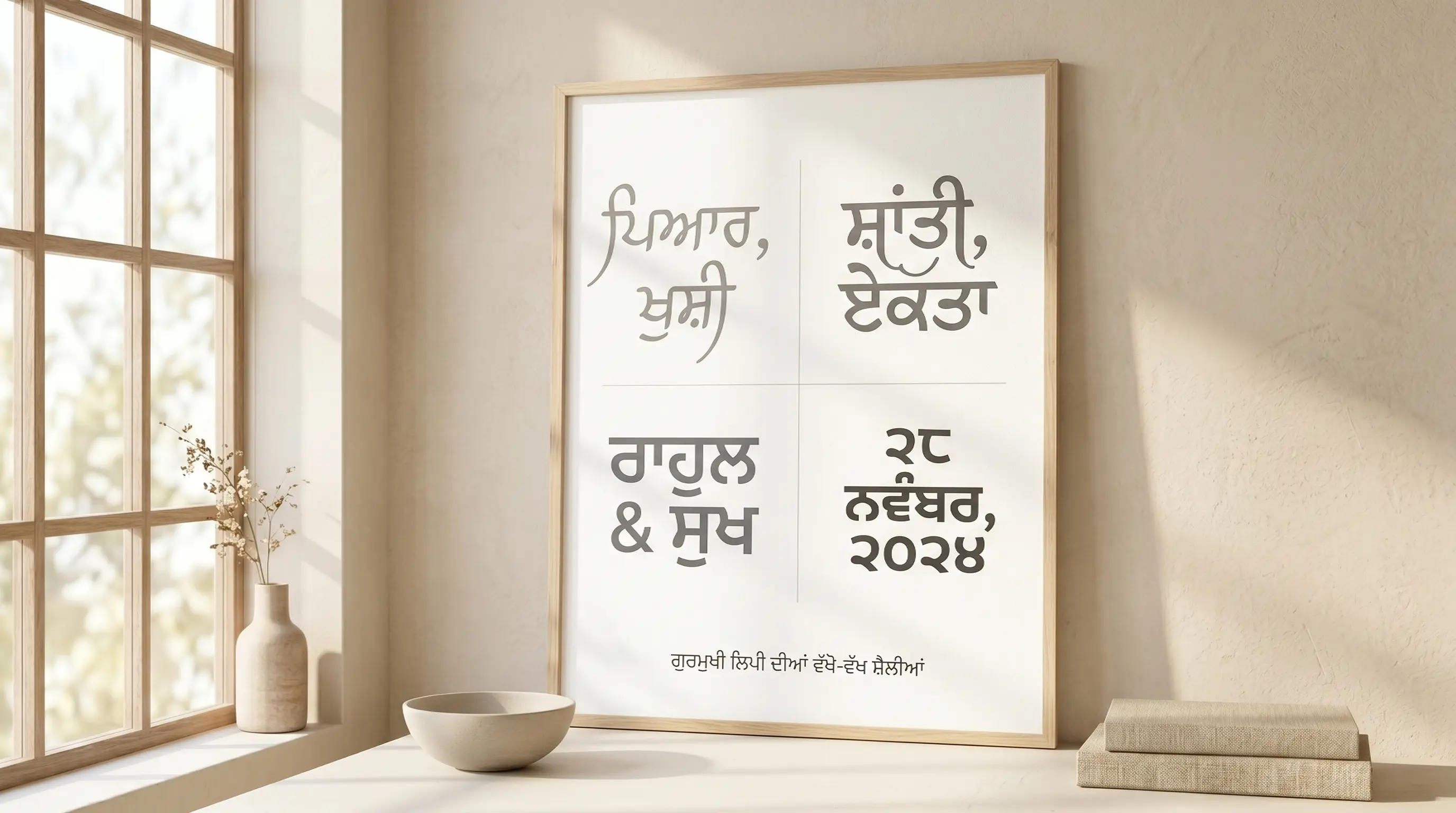
The History and Structure of Gurmukhi Typography
Punjabi, spoken by over 120 million people worldwide, is primarily written in the Gurmukhi script in India. Gurmukhi, meaning "from the mouth of the Guru", was standardized by Guru Angad Dev Ji in the 16th century to write the sacred scriptures of Sikhism. The script evolved from the ancient Sharada script and has a distinct horizontal line running along the top of all characters (called the Shirorekha), which binds the words together.
In the digital era, early desktop publishing relied on customized font layouts mapping Punjabi glyphs to English keycaps (like the popular Asees or Anmol Lipi layouts). Modern Unicode standards have unified the digital representation of Punjabi script. Fonts like Baloo Paaji, Mukta Mahee, and Langar have made Gurmukhi typography accessible on all mobile and web platforms without requiring external rendering packs.
Understanding Unicode vs. Legacy Font Systems
When working with Punjabi typography, you will encounter two primary font architectures:
1. Modern Unicode Punjabi Fonts (Baloo Paaji, Langar, Mukta Mahee)
Unicode is the international standard for text representation. Standard Android/iOS keyboards and Google Input Tools type Unicode by default. When you copy Unicode Punjabi text, it remains standard Punjabi regardless of what font is applied. It is compatible with Instagram bios, WhatsApp chat, Facebook status updates, and web pages because the text is stored as semantic Gurmukhi characters.
2. Legacy Fonts (Asees, Anmol Lipi, GurmukhiLys)
AnmolLipi, Asees, Satluj and GurmukhiLys are not Gurmukhi fonts in the way Raavi or Mukta Mahee are — they are ASCII remaps. Each Gurmukhi shape is drawn into the slot of a Latin letter, so the file still contains English characters and only looks like ਪੰਜਾਬੀ while that specific font is applied. Send it to a client, post it to Instagram, or open the file on a machine without the font, and it reverts to a nonsense string of Roman letters. The trade-off is worth knowing: legacy faces carry decorative Gurmukhi lettering that no Unicode family has yet matched, which is why they survive in Punjab's poster and card studios. Keep them inside the print file, and use Unicode for every headline, caption or document that has to survive being copied elsewhere.
How to Generate and Use Custom Punjabi Calligraphy in Design
Gurmukhi design work has a specific hazard that Latin typography does not: half the beautiful display faces circulating in Punjab's poster and card studios — AnmolLipi, Satluj, AseesPunjabi and their relatives — are non-Unicode ASCII remaps. The file contains Gurmukhi drawings sitting on Latin codepoints, so the computer still believes you typed English. Send that text to a client on WhatsApp, drop it in an Instagram caption, or open the file on a machine without that exact font, and ਵਾਹਿਗੁਰੂ collapses into a string of random Roman letters. The workflow below keeps you on real Unicode Gurmukhi and gets it onto the canvas intact.
Step 1 — Input Punjabi Text
Type into the box at the top of this page using a Unicode Gurmukhi source — Gboard's Punjabi layout, the Windows Punjabi keyboard, or phonetic input (type vaisakhi, get ਵਿਸਾਖੀ). Watch the marks that carry meaning in Punjabi and that sloppy input silently drops: the tippi and bindi that nasalise a syllable, and the addak that doubles the following consonant. If your source text came from an old AnmolLipi or Asees layout, it will arrive as Latin nonsense — run it through a Gurmukhi legacy-to-Unicode converter before you paste, because a styling tool cannot recover Gurmukhi from characters that are technically English.
Step 2 — Preview and Choose Style
Scroll the grid and judge each face on how it treats Gurmukhi's structural features. The sirorekha — the headline bar running across the top of the word — is the first thing to check: in weak fonts it breaks or thickens unevenly between letters, and on a Gurpurab banner set in 200pt that gap is the only thing anyone will see. Then test the subscript conjuncts, the pairin akhar (the tucked-under forms of ਹ, ਰ and ਵ), and a word carrying both a tippi and a matra together, because that is where display faces run out of vertical room and start overlapping. Drag the size slider to your real output size before deciding.
Step 3 — Copy as Image or Download PNG
With a style chosen, Copy (as image) puts a finished raster of the line on your clipboard; PNG download gives you a solid-background file and Transparent one that sits cleanly over album artwork, a Vaisakhi poster's field-of-wheat photo or a wedding card's gold texture. For Gurmukhi this raster route is not a shortcut, it is insurance — the browser has already positioned every pairin akhar and every tippi, and a pixel image cannot be re-shaped, re-ordered or substituted by whatever app it lands in next.
Step 4 — Use in Photoshop or Install TTF
Paste the PNG in as a layer and it is done. For live editable Gurmukhi, use TTF download, install the font, then set Photoshop's composer to Middle Eastern & South Asian under Preferences → Type (older versions ship this as the separate World-Ready build). Skip that step and Photoshop will misplace your subscript conjuncts and detach the tippi, usually in a way that is invisible at screen size and obvious at print size. Proof one word containing an addak and a pairin ਹ at full scale before you commit the layout.
Types of Punjabi Fonts Available
| Font Category | Examples | Primary Use Cases |
|---|---|---|
| Unicode Display Fonts | Baloo Paaji 2, Langar, Mukta Mahee | Web design, blogging, app interfaces, and social media text. |
| Heavy Headline Styles | Bhutuka Expanded One, Braah One, Raavi | Newspapers, official documents, banners, and signboards. |
| Handwriting & Cursive | Sukhmani, Saab, custom handwriting | Lettering designs, creative quotes, informal designs, and book covers. |
| Decorative Display Styles | Asees, Anmol Lipi, GurmukhiLys, AmrLipi | Banners, wedding cards, festival posters, brand logos, and YouTube thumbnails. |
Why Use Punjabi Calligraphy Fonts in Graphic Design?
Typography is the backbone of visual storytelling. In Punjabi culture, calligraphy holds deep cultural and aesthetic value. Standard fonts often lack the personality, curves, and flourish required for festive banners (like Vaisakhi or Gurpurab greetings), wedding cards, book covers, and local brand designs. Incorporating premium calligraphy and display fonts instantly commands attention and gives design projects a premium, hand-crafted feel.
Using our Punjabi font changer, you can experiment with different styles in real time before selecting the perfect look. Whether it is a bold headline for a festival flyer or a soft script layout for a poetry post, having a diverse font list is essential for any modern graphic designer working with Punjabi content.
Tips for Installing and Using TTF Fonts on Mobile & Desktop
Installing a Gurmukhi TTF is easy; getting the app to shape Gurmukhi correctly is the real task. Every stacked pairin akhar, every tippi that has to hop over a matra, depends on the application's complex-text engine reading the font's OpenType tables. Here is how each platform behaves, and when to stop fighting it and use the image export instead.
How to Install Fonts on Windows & macOS
Double-click the .ttf, then click Install on Windows or Install Font in macOS Font Book, and relaunch any app that was already running. In CorelDraw — the default in most Punjabi print shops for wedding cards and shop boards — confirm OpenType shaping is on and type a test word with a subscript ਰ before you set the job. Remember the two font worlds behave differently at this point: a Unicode face like Raavi, Mukta Mahee or Baloo Paaji works with normally-typed Gurmukhi, while a legacy ASCII face like AnmolLipi only looks right if you feed it the matching keyed-in Latin string. Mixing the two is what produces a headline that reads perfectly on your screen and as Roman garbage on the printer's.
How to Import Fonts to PicsArt & PixelLab (Mobile)
Copy the TTF into PicsArt/Fonts for PicsArt; in PixelLab open the Font panel, tap My Fonts, tap the folder icon and browse to the file. Then check the output carefully, because these apps commonly render Gurmukhi through a lightweight text engine that mishandles the script: the sirorekha breaks between characters, or a pairin ਹ drops below the baseline in the wrong place. If your Punjabi lyric card or Vaisakhi story looks wrong in the app, don't tune it — style the line here instead and bring it over with Copy (as image) or a Transparent PNG, which arrives already shaped and cannot be broken further.
How to Upload Fonts to Canva
With Canva Pro, go to Brand, scroll to Brand Fonts, hit Upload a Font and select your .ttf — it then appears in every design in that brand kit, which is what you want when a Punjabi music channel or a gurdwara's event series needs one consistent Gurmukhi headline face across dozens of posts. Note that legacy ASCII Punjabi fonts are effectively useless in Canva, since anyone who later edits the design without that font installed will see the Latin fallback. For Canva work, stay on Unicode faces, and for the hero headline use a transparent PNG from this page so the letterforms are locked exactly as you approved them.
Explore More Typography Tools
➤ Main Font Generator: Style Latin/English text into 250+ stylish variations on the FontGenix Homepage.
➤ English Font Style Generator: Convert English text into 360+ Google Fonts and Unicode variations on our English Font Style Generator.
➤ Arabic Font Style Generator: Convert Arabic script text into 260+ stylish calligraphy styles on our Arabic Font Style Generator.
➤ Sinhala Font Style Generator: Convert Sinhala script text into 110+ stylish calligraphy styles on our Sinhala Font Style Generator.
➤ Japanese Font Style Generator: Convert Japanese script text into 68+ stylish fonts on our Japanese Font Style Generator.
➤ Hindi Font Style Generator: Convert Hindi Devanagari text into 90+ stylish fonts on our Hindi Font Style Generator.
➤ Marathi Font Style Generator: Convert Marathi Devanagari text into 140+ stylish fonts on our Marathi Font Style Generator.
➤ Gujarati Font Style Generator: Convert Gujarati script text into 48+ stylish calligraphy styles on our Gujarati Font Style Generator.
➤ Nepali Font Style Generator: Convert Nepali script text into 180+ stylish calligraphy styles on our Nepali Font Style Generator.
➤ Odia Font Style Generator: Convert Odia script text into 57+ stylish calligraphy styles on our Odia Font Style Generator.
➤ Bengali Font Style Generator: Convert Bengali script text into 88+ stylish calligraphy styles on our Bengali Font Style Generator.
➤ Tamil Font Style Generator: Convert Tamil script text into 77+ stylish calligraphy styles on our Tamil Font Style Generator.
➤ Telugu Font Style Generator: Convert Telugu script text into 70+ premium calligraphy styles on our Telugu Font Style Generator.
➤ Malayalam Font Style Generator: Convert Malayalam script text into 204+ stylish calligraphy styles on our Malayalam Font Style Generator.
➤ Kannada Font Style Generator: Convert Kannada script text into 85+ premium calligraphy styles on our Kannada Font Style Generator.
Frequently Asked Questions
The Punjabi Font Style Generator is an online utility that enables you to style Punjabi script text in 114+ custom fonts (including Baloo Paaji, Langar, Mukta Mahee, Braah, traditional script, and handwriting styles). You can type in Punjabi, preview the output instantly, copy it as an image, or download solid/transparent PNGs and TTF files.
You can copy the styled text as a high-quality PNG image to your clipboard by clicking the 'Copy (as image)' button, or download it as a PNG file with a solid white or transparent background using the 'PNG download' and 'Transparent' buttons.
You can download the raw TTF font files directly by clicking the 'TTF download' button next to any font style. This allows you to install the font family locally on your operating system and use it in tools like Photoshop, CorelDraw, Illustrator, or MS Word.
Yes! Standard Unicode fonts work natively on social media. For legacy or display calligraphy fonts, click the 'Copy (as image)' button and paste it directly as a graphic preview in your Instagram, WhatsApp, or Facebook stories, posts, or chats.
You can write Punjabi text using standard keyboards on your phone or PC. Alternatively, you can type phonetically in English (e.g. typing "namaskar") and have it automatically converted into Punjabi script ("ਨਮਸਕਾਰ") in real-time before pasting it into our input box.
Yes, all Punjabi fonts on FontGenix are 100% free to download and use for personal or educational projects. For commercial usage, please refer to the specific licensing terms of individual font authors.
Yes! Once you download the TTF files from our generator, you can install them on your system to use in professional design software like Adobe Photoshop, CorelDraw, and Illustrator, or import them directly into video editing apps like Kinemaster and graphic design tools like Canva.