
Small Text Font Generator ˢᵐᵃˡˡ
Make your text small, tiny, or formatted into superscripts and subscripts. Enter your text below to transform it instantly.
ᵀⁱⁿʸ ˢᵘᵖᵉʳˢᶜʳⁱᵖᵗ ᶠᵒⁿᵗ
ꜱᴍᴀʟʟ ᴄᴀᴘɪᴛᴀʟ ꜰᴏɴᴛ
sᵤbscᵣᵢₚt fₒₙt
🄟⒜⒭⒠⒩⒯⒣⒠⒮⒤⒵⒠⒟ 🄢⒨⒜⒧⒧ 🄣⒠⒳⒯
What is a Small Text Generator?
A small text generator is an online utility that converts standard letters into miniature fonts, subscripts, or superscripts using Unicode characters. Standard keyboards do not provide a direct option to type tiny text, but our tool maps standard inputs into special alphanumeric symbols that look like tiny letters. This is extremely useful for structuring social media copy, highlighting secondary points, or framing titles with minor weights.
These tiny letters are not actual font file changes (such as resizing with CSS or HTML), but rather alternative character representations, meaning you can copy and paste them onto any website that allows standard text inputs. If you need thicker headings, use our bold text generator or reverse your text completely using the upside down text generator. They represent native code points that keep their reduced layout height across varying layout widths, dark modes, and operating systems.
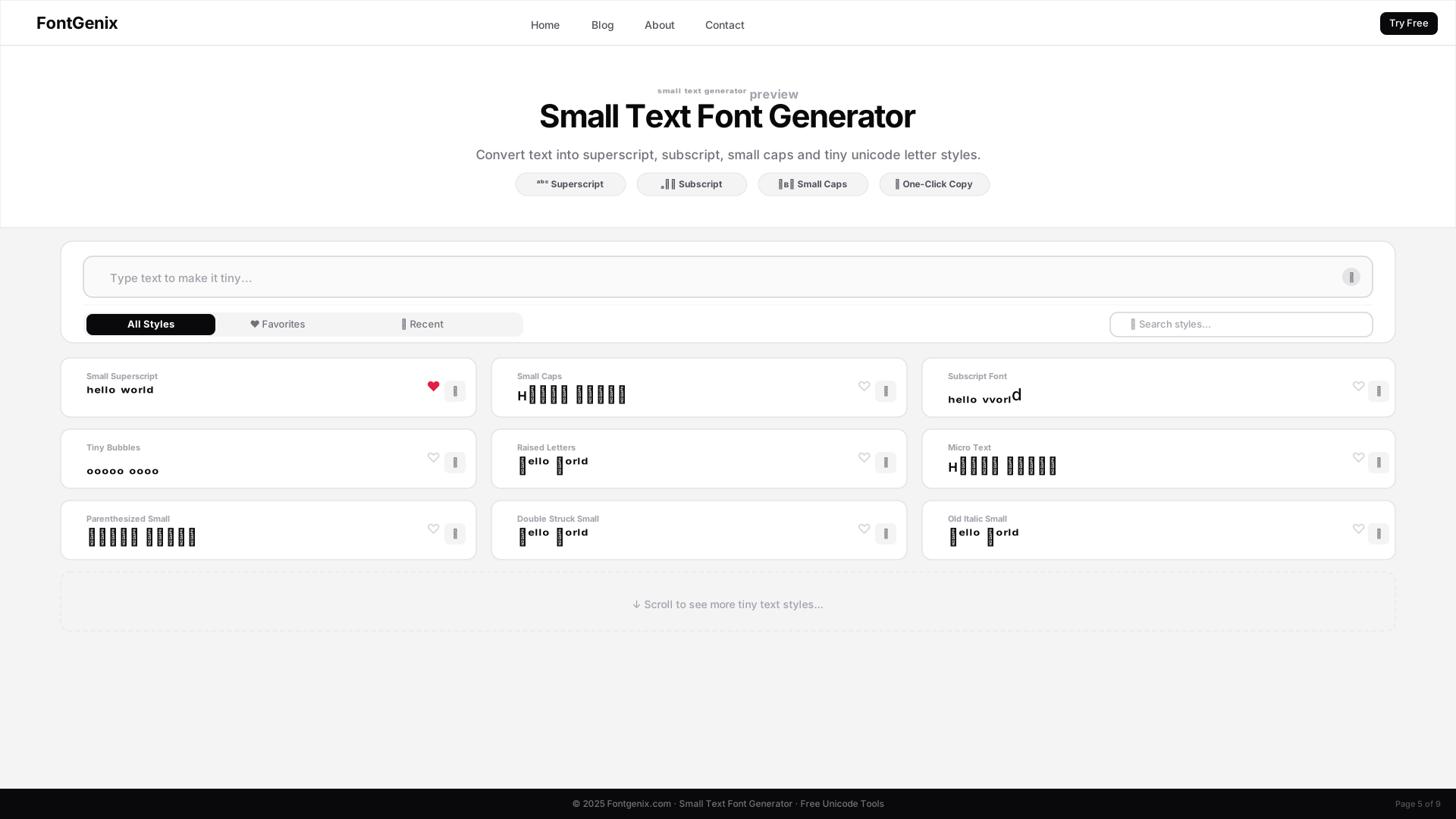
Types of Small Text Fonts
Our small text generator provides three main types of tiny fonts, each styled to serve distinct typographic and design needs:
- Superscript (ˢᵐᵃˡˡ): Letters that sit slightly above the normal text line. Often used for trademarks, footnotes, or adding decorative visual annotations in bios.
- Subscript (ₛₘₐₗₗ): Letters that sit slightly below the normal text line, commonly seen in scientific equations, math labels, or chemical formulas.
- Small Caps (sᴍᴀʟʟ): Capital letters styled to match the height of standard lowercase letters, creating a clean header look that feels formal and premium.
How to Make Your Text Tiny
Creating small text is extremely fast with our web interface. Follow these steps to generate and copy tiny layouts:
- Enter Text: Type your sentence into the input field at the top of the page.
- Choose Style: Browse the outputs to select subscript, superscript, or small capitals.
- Click to Copy: Tap on the box containing the tiny text layout to copy it instantly to your device clipboard.
- Paste: Apply the copied small letters to your social media bios, messaging accounts, or server tags.
The Science of Unicode: How Small Text Generators Work
A small text generator processes keyboard inputs and substitutes each standard ASCII letter with a corresponding character code from Unicode's tiny font ranges. For superscript (ᵃᵇᶜ) and subscript (ₐ₆꜀), Unicode draws characters in these ranges so that they are physically raised or lowered within a line, commonly used in engineering and chemistry formulas. For small caps (sᴍᴀʟʟ), the tool pulls from the Phonetic Extensions and Latin Extended Unicode subsets. Since these tiny letters are standard characters rather than custom style tags, they render correctly across all web browsers and text editors without loading external files.
Best Practices for Using Small Fonts on Social Media
Tiny text looks extremely elegant, but it should be used with visual accessibility in mind. Screen readers do not translate superscript or subscript symbols as standard text (for instance, reading U+1D43 "ᵃ" as "Modifier Letter Small A"), making it impossible for screen reader users to read long sentences. To maintain high usability, limit your tiny font customisations to small snippets like profile subtitles, footnotes, and short bio headers, using standard keyboard text for long paragraphs. This guarantees that all users can read and access your information.
Creative Visual Styling Ideas
Small caps (sᴍᴀʟʟ) and superscript (ˢᵐᵃˡˡ) are excellent choices for adding subtle visual accents to bios, captions, and articles. Many users apply superscript to create decorative footnotes or represent trademarks (e.g., ᵇʳᵃⁿᵈ™) in promotional materials. Small caps work wonderfully for creating professional-looking job titles or headings in LinkedIn bios and email signatures. You can also mix tiny text alongside regular fonts to style subheadings that look organized and balanced, building elegant contrasts that stand out in crowded streams.
Deep Dive into Unicode Code Points
The mapping for small text draws from various character blocks in Unicode. Superscript characters are primarily mapped to the Superscripts and Subscripts block (U+2070 to U+209F) and the Phonetic Extensions block (U+1D00 to U+1D7F). Small capital letters are sourced from the Phonetic Extensions range (e.g., U+1D00 'ᴀ', U+1D04 'ʙ'). Because these characters are parsed by text rendering engines as distinct mathematical or phonetic modifier symbols rather than styling attributes, they display properly across devices without requiring external CSS loading, giving you absolute control over the text boundaries.
Platform Compatibility & Rendering Fallbacks
Standard small capital, superscript, and subscript symbols enjoy broad support on social media platforms including Instagram, X (Twitter), Facebook, TikTok, and messaging applications like Discord and WhatsApp. On legacy browsers, older Android distributions, or retro e-readers, some of these specialized modifier glyphs may fail to load. The browser rendering engine will display placeholder symbols (such as boxes or question marks) for any missing code points. We suggest verifying the rendered text on mobile devices before locking in public marketing posts.
Design Guidelines for Visual Balance
To preserve a clean, professional aesthetic, avoid using tiny font styles for blocks of text containing more than a few words. Because superscript and subscript characters sit off the standard text baseline, long sentences formatted in these styles will look disjointed and difficult to read. A premium design approach is to use tiny fonts strictly for annotations, abbreviations, handles, or decorative titles, keeping the main content block in standard, readable ASCII characters. This design structure keeps visual clutter low and highlights key values.
Explore More Typography Tools
Need styles for specific scripts, decorative symbols, or Google Font previews? Check out our specialized free tools:
➤ Specific Style Font Generators: Customize your text into specific style variants using our bold text generator, bubble text generator, cursive text generator, glitch text generator, small text generator, strikethrough text generator, underline text generator, upside down text generator, and zalgo text generator.
➤ Social Fonts Generators: Design custom layouts for bios, captions, and posts on Instagram, Facebook, Twitter (X), YouTube, LinkedIn, WhatsApp, and Discord.
➤ Gaming Name Styles: Create unique, styled nicknames and copy custom symbols for Free Fire and PUBG Mobile.
➤ English Font Style Generator: Style English/Latin text into 360+ Google Fonts and Unicode transformations on our dedicated English Font Style Generator.
➤ Arabic Font Style Generator: Convert Arabic script text into 260+ stylish calligraphy styles on our Arabic Font Style Generator.
➤ Sinhala Font Style Generator: Convert Sinhala script text into 110+ stylish calligraphy styles on our Sinhala Font Style Generator.
➤ Japanese Font Style Generator: Convert Japanese script text into 68+ stylish fonts on our Japanese Font Style Generator.
➤ Hindi Font Style Generator: Convert Devanagari Hindi text into 90+ calligraphy and handwriting styles on our Hindi Font Style Generator.
➤ Marathi Font Style Generator: Convert Marathi Devanagari text into 140+ stylish fonts on our Marathi Font Style Generator.
➤ Telugu Font Style Generator: Convert Telugu script text into 70+ premium calligraphy styles on our Telugu Font Style Generator.
➤ Tamil Font Style Generator: Convert Tamil script text into 77+ stylish calligraphy styles on our Tamil Font Style Generator.
➤ Malayalam Font Style Generator: Convert Malayalam script text into 204+ stylish calligraphy styles on our Malayalam Font Style Generator.
➤ Kannada Font Style Generator: Convert Kannada script text into 85+ premium calligraphy styles on our Kannada Font Style Generator.
➤ Bengali Font Style Generator: Convert Bengali script text into 88+ stylish calligraphy styles on our Bengali Font Style Generator.
➤ Gujarati Font Style Generator: Convert Gujarati script text into 48+ stylish calligraphy styles on our Gujarati Font Style Generator.
➤ Nepali Font Style Generator: Convert Devanagari Nepali text into 180+ calligraphy and handwriting styles on our Nepali Font Style Generator.
➤ Odia Font Style Generator: Convert Odia script text into 57+ premium calligraphy styles on our Odia Font Style Generator.
➤ Punjabi Font Style Generator: Convert Punjabi script text into 114+ stylish calligraphy styles on our Punjabi Font Style Generator.
➤ Cute & Pretty Font Generator: Decorate standard text with starry borders, bubbles, and flowers on our Cute & Pretty Font Generator.
➤ Fancy Numbers Generator: Convert digits into circled, boxed, or Roman numerals on the Fancy Numbers Font Generator.