
Odia Font Style Generator ✍️
Transform your Odia script text into stunning calligraphy, handwriting, and designer styles. Copy styled text as images, download solid/transparent PNG previews, or download TTF files instantly.
Typing Guide: Type in Odia (recommended) or English (which will automatically be translated to Odia). Copy/download as PNG or TTF.
Advertisement
ଜୟ ଜଗନ୍ନାଥ
ଜୟ ଜଗନ୍ନାଥ
ଜୟ ଜଗନ୍ନାଥ
ଜୟ ଜଗନ୍ନାଥ
ଜୟ ଜଗନ୍ନାଥ
ଜୟ ଜଗନ୍ନାଥ
ଜୟ ଜଗନ୍ନାଥ
ଜୟ ଜଗନ୍ନାଥ
ଜୟ ଜଗନ୍ନାଥ
ଜୟ ଜଗନ୍ନାଥ
ଜୟ ଜଗନ୍ନାଥ
ଜୟ ଜଗନ୍ନାଥ
What is an Odia Font Style Generator?
An Odia Font Style Generator is an advanced web-based typography utility designed to help designers, bloggers, and content creators style Odia (Oriya) text in various artistic fonts. The Odia language has a beautiful script derived from Kalinga Brahmi, characterized by its elegant circular shapes. This generator compiles 57+ premium Odia font files — including modern Unicode Google Fonts such as Alkatra, Anek Odia, Baloo Bhaina 2, and Noto Serif Oriya, alongside classic display fonts — into one easy-to-use playground. It provides real-time previews of how your text looks in handwriting, display, and traditional calligraphy styles.
Our generator supports both modern Unicode Odia fonts (compatible across all modern web browsers and mobile devices) and select classic fonts that are widely used by DTP professionals and graphic designers in Odisha.
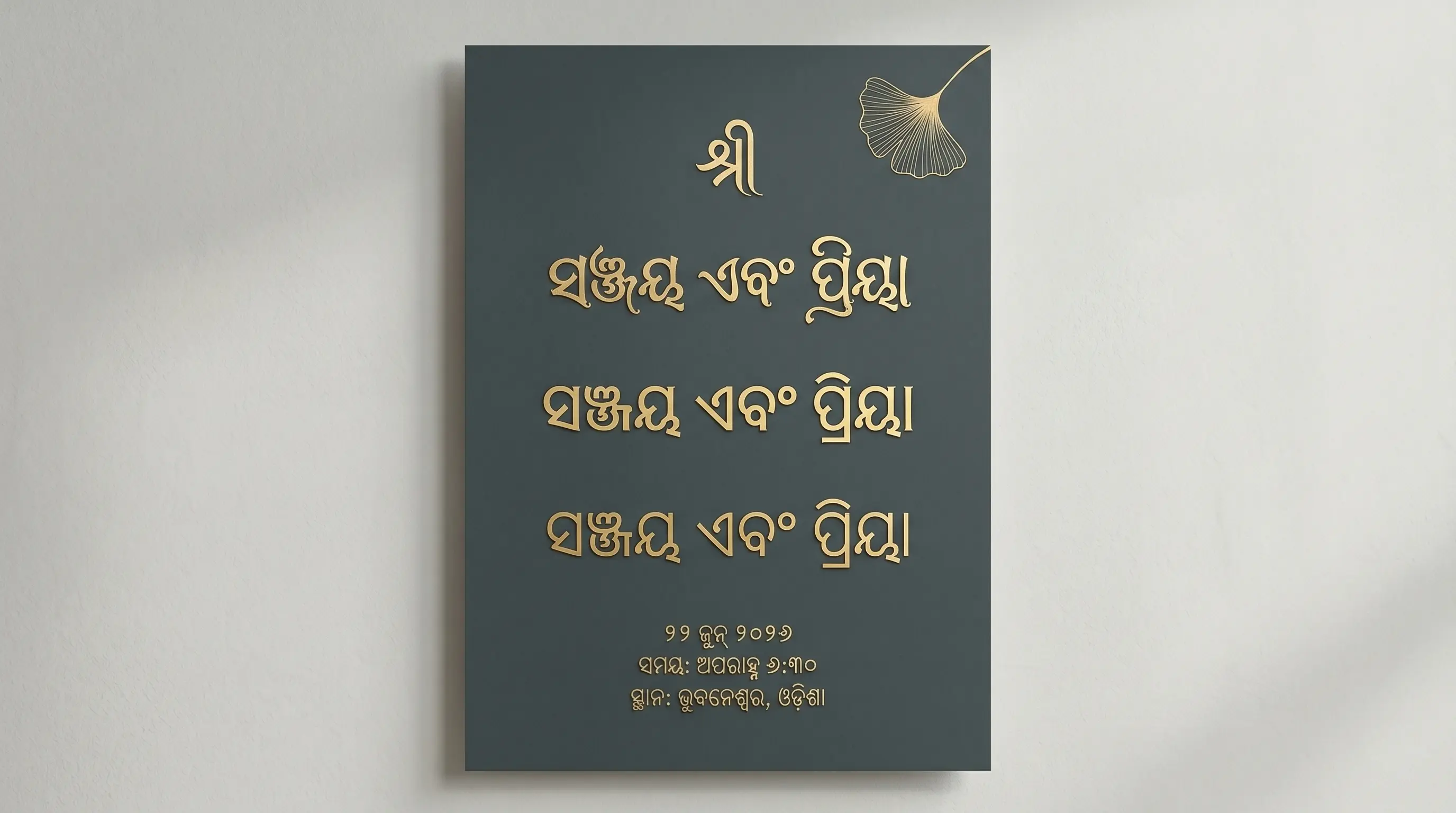
The History and Structure of Odia Typography
Odia, one of India's classical languages spoken by over 40 million people primarily in Odisha, has a rich typographic history. The Odia script evolved from ancient Brahmi script, specifically the Kalinga script. Unlike most other Indian scripts that feature straight lines, the Odia script is highly curved. This roundness is an interesting historical adaptation: in ancient Odisha, texts were written on palm leaves (talapatra) using a metal stylus. Writing straight lines along the grain of palm leaves would split and tear them, so scribes developed rounded contours to preserve the leaves. This unique roundness is still preserved in modern typography.
In the digital era, early desktop publishing relied on customized font layouts mapping Odia glyphs to English keycaps. Modern Unicode standards have unified the digital representation of Odia script. Fonts like Baloo Bhaina 2, Noto Serif Oriya, and Anek Odia have made Odia typography accessible on all mobile and web platforms without requiring external rendering packs.
Understanding Unicode vs. Legacy Font Systems
When working with Odia typography, you will encounter two primary font architectures:
1. Modern Unicode Odia Fonts (Alkatra, Anek Odia, Baloo Bhaina 2)
Unicode is the international standard for text representation. Standard Android/iOS keyboards and Google Input Tools type Unicode by default. When you copy Unicode Odia text, it remains standard Odia regardless of what font is applied. It is compatible with Instagram bios, WhatsApp chat, Facebook status updates, and web pages because the text is stored as semantic Odia characters.
2. Legacy Fonts
The Odia DTP fonts that circulated before Unicode were not really Odia at all. They were ASCII remaps: the font file draws an Odia glyph in the slot where a Latin letter normally lives, so the underlying data stays English while the screen shows ଓଡ଼ିଆ. That is why an old Odia newspaper or book file, opened on a machine without the exact font, degrades into a wall of random Roman characters — and why pasting legacy text into a browser, an Instagram caption or a Unicode-based tool never works. It still has a place: inside a closed CorelDraw or PageMaker job, where the font ships with the file, these decorative legacy faces give you letterforms no Unicode family offers. Use them for the printed artwork only, and keep Unicode for anything that leaves your machine.
How to Generate and Use Custom Odia Calligraphy in Design
Odia is one of the hardest Indic scripts to typeset well, and for a reason worth understanding before you start. Its letters are built from stacked curves and domes because they were originally scratched onto palm leaves with a stylus, where a straight stroke would split the leaf along its grain. Those curves survived into type — and so did an unusually rich set of conjunct ligatures, where two or three consonants fuse into a single new shape rather than sitting side by side. Any tool that renders Odia lazily will show you that failure immediately. Here is the workflow that avoids it.
Step 1 — Input Odia Text
Type into the box at the top of this page using Unicode Odia: Gboard's Odia layout, the Odia InScript keyboard on Windows, or transliteration input (type jagannatha, get ଜଗନ୍ନାଥ). If your text has been lifted from an old Odia DTP file typed in a non-Unicode ASCII font, it will paste in here as meaningless Latin letters — those fonts store Roman codepoints and merely draw Odia shapes on top of them, so the actual data is not Odia at all. Convert it to Unicode first; nothing on this page can style a string that the computer thinks is English.
Step 2 — Preview and Choose Style
As you scroll the styles, test them with a genuinely difficult word — ଓଡ଼ିଶା, or a name with a doubled consonant like ଜଗନ୍ନାଥ — rather than a simple one. Odia's conjuncts are where fonts fail: a good face fuses them into a single balanced ligature, a poor one leaves a naked halant hanging or drops the second consonant into a cramped subscript that fights the dome above it. Also watch the counters, the enclosed white space inside those round letterforms; at small sizes a heavy display weight can fill them in completely and turn a line of Odia into an unreadable row of blobs. Use the size slider to check the type at the size you will actually print.
Step 3 — Copy as Image or Download PNG
Once the shaping looks correct, Copy (as image) drops a rendered raster of the line on your clipboard; PNG download gives a solid file and Transparent one that layers straight over a Rath Yatra chariot photo, a temple-red backdrop or a book jacket without a white box behind it. The value of the raster path for Odia is specific: the browser has already resolved every conjunct ligature correctly, and a pixel image cannot be re-shaped or re-ordered by whatever software opens it next. What you approve in the preview is what gets printed.
Step 4 — Use in Photoshop or Install TTF
Paste the PNG onto the canvas as a layer, or use TTF download if you need live editable Odia. If you go the TTF route, open Photoshop's Preferences → Type and set the composer to Middle Eastern & South Asian before typing (older releases require the World-Ready build of the app). Without it, Photoshop will not build Odia conjuncts at all — you will get the individual consonants with a visible halant between them, which is not a stylistic difference but a spelling error in the eyes of any Odia reader. Always proof a conjunct-heavy word at full size before signing off.
Types of Odia Fonts Available
| Font Category | Examples | Primary Use Cases |
|---|---|---|
| Unicode Display Fonts | Alkatra, Baloo Bhaina 2, Noto Serif Oriya | Web design, blogging, app interfaces, and social media text. |
| Heavy Headline Styles | Anek Odia (Bold/Expanded), Lohit Oriya | Newspapers, official documents, banners, and signboards. |
| Handwriting & Cursive | Alkatra, Samyak Oriya, custom handwriting | Lettering designs, creative quotes, informal designs, and book covers. |
| Decorative Display Styles | Subhadra, Savita, Jagannatha, Vasudev | Banners, wedding cards, festival posters, brand logos, and YouTube thumbnails. |
Why Use Odia Calligraphy Fonts in Graphic Design?
Typography is the backbone of visual storytelling. In Odisha, Odia calligraphy holds deep cultural and aesthetic value. Standard fonts often lack the personality, curves, and flourish required for festive banners, wedding cards, book covers, and local brand designs. Incorporating premium calligraphy and display fonts instantly commands attention and gives design projects a premium, hand-crafted feel.
Using our Odia font changer, you can experiment with different styles in real time before selecting the perfect look. Whether it is a bold headline for a festival flyer or a soft script layout for a poetry post, having a diverse font list is essential for any modern graphic designer working with Odia content.
Tips for Installing and Using TTF Fonts on Mobile & Desktop
Odia asks more of an application than almost any script you will install a font for. Those fused conjunct ligatures only appear if the software's complex-text engine reads the font's OpenType tables and applies them; if it does not, the font is technically "installed" and still useless. Here is what to expect from each platform, plus the escape hatch when the platform cannot cope.
How to Install Fonts on Windows & macOS
Double-click the .ttf, then choose Install on Windows or Install Font in macOS Font Book, and restart any app that was already open. Before you commit a job, type one conjunct-heavy Odia word — ଜଗନ୍ନାଥ is the standard stress test in Bhubaneswar studios — and confirm the ligature actually forms. In InDesign and Illustrator switch the paragraph composer to the World-Ready / Adobe South Asian option; in CorelDraw, still the mainstay for Odia signage and card printing, enable OpenType shaping. If a face still shows a bare halant between consonants, the font itself is missing the ligature tables — swap to another style from the list rather than trying to fake it with manual kerning.
How to Import Fonts to PicsArt & PixelLab (Mobile)
Move the TTF into the PicsArt/Fonts folder for PicsArt; in PixelLab open the Font menu, tap My Fonts, tap the folder icon and pick the file from Downloads. Then inspect the result, because these apps often draw text through a simplified engine and Odia is precisely the script it breaks: conjuncts come apart, and the vowel signs that wrap around the round base letters land in the wrong slot. If your Rath Yatra graphic or Odia quote card looks wrong on the phone, stop editing there — set the line here in the browser and pull it in with Copy (as image) or a Transparent PNG, which is already correctly shaped and cannot be broken by the app.
How to Upload Fonts to Canva
Canva Pro users can add fonts under Brand → Brand Fonts → Upload a Font, then choose the .ttf; it becomes available across every design in the kit, useful when an Odia publisher or a temple event series needs the same headline face on twenty covers and posters. Proof one conjunct at final size after uploading — Canva's shaping is generally sound but is not guaranteed for every third-party Odia font. For a masthead, a logo lockup or any word where a broken ligature would be embarrassing, put a transparent PNG from this page on the canvas and keep the live text for the body copy.
Explore More Typography Tools
➤ Main Font Generator: Style Latin/English text into 250+ stylish variations on the FontGenix Homepage.
➤ English Font Style Generator: Convert English text into 360+ Google Fonts and Unicode variations on our English Font Style Generator.
➤ Arabic Font Style Generator: Convert Arabic script text into 260+ stylish calligraphy styles on our Arabic Font Style Generator.
➤ Sinhala Font Style Generator: Convert Sinhala script text into 110+ stylish calligraphy styles on our Sinhala Font Style Generator.
➤ Japanese Font Style Generator: Convert Japanese script text into 68+ stylish fonts on our Japanese Font Style Generator.
➤ Hindi Font Style Generator: Convert Hindi Devanagari text into 90+ stylish fonts on our Hindi Font Style Generator.
➤ Marathi Font Style Generator: Convert Marathi Devanagari text into 140+ stylish fonts on our Marathi Font Style Generator.
➤ Gujarati Font Style Generator: Convert Gujarati script text into 48+ stylish calligraphy styles on our Gujarati Font Style Generator.
➤ Nepali Font Style Generator: Convert Nepali script text into 180+ stylish calligraphy styles on our Nepali Font Style Generator.
➤ Punjabi Font Style Generator: Convert Punjabi script text into 114+ stylish calligraphy styles on our Punjabi Font Style Generator.
➤ Bengali Font Style Generator: Convert Bengali script text into 88+ stylish calligraphy styles on our Bengali Font Style Generator.
➤ Tamil Font Style Generator: Convert Tamil script text into 77+ stylish calligraphy styles on our Tamil Font Style Generator.
➤ Telugu Font Style Generator: Convert Telugu script text into 70+ premium calligraphy styles on our Telugu Font Style Generator.
➤ Malayalam Font Style Generator: Convert Malayalam script text into 204+ stylish calligraphy styles on our Malayalam Font Style Generator.
➤ Kannada Font Style Generator: Convert Kannada script text into 85+ premium calligraphy styles on our Kannada Font Style Generator.
Frequently Asked Questions
The Odia Font Style Generator is an online utility that enables you to style Odia script text in 57+ custom fonts (including Alkatra, Anek Odia, Baloo Bhaina 2, Noto Serif Oriya, traditional script, and handwriting styles). You can type in Odia, preview the output instantly, copy it as an image, or download solid/transparent PNGs and TTF files.
You can copy the styled text as a high-quality PNG image to your clipboard by clicking the 'Copy (as image)' button, or download it as a PNG file with a solid white or transparent background using the 'PNG download' and 'Transparent' buttons.
You can download the raw TTF font files directly by clicking the 'TTF download' button next to any font style. This allows you to install the font family locally on your operating system and use it in tools like Photoshop, CorelDraw, Illustrator, or MS Word.
Yes! Standard Unicode fonts work natively on social media. For legacy or display calligraphy fonts, click the 'Copy (as image)' button and paste it directly as a graphic preview in your Instagram, WhatsApp, or Facebook stories, posts, or chats.
You can write Odia text using standard keyboards on your phone or PC. Alternatively, you can type phonetically in English (e.g. typing "namaskar") and have it automatically converted into Odia script ("ନମସ୍କାର") in real-time before pasting it into our input box.
Yes, all Odia fonts on FontGenix are 100% free to download and use for personal or educational projects. For commercial usage, please refer to the specific licensing terms of individual font authors.
Yes! Once you download the TTF files from our generator, you can install them on your system to use in professional design software like Adobe Photoshop, CorelDraw, and Illustrator, or import them directly into video editing apps like Kinemaster and graphic design tools like Canva.