
Kannada Font Style Generator ✍️
Transform your Kannada script text into stunning calligraphy, handwriting, and designer styles. Copy styled text as images, download solid/transparent PNG previews, or download TTF files instantly.
What is a Kannada Font Style Generator?
A Kannada Font Style Generator is an advanced web-based typography utility designed to help designers, bloggers, and content creators style Kannada script text in various artistic fonts. Unlike Latin characters, which have standard Unicode mathematical stylized forms, Kannada typography requires loading actual font files (TTF/OTF) to render unique calligraphy, traditional curves, or brush designs. This generator compiles 85+ premium Kannada font files into one easy-to-use playground, showing real-time previews of how your text looks in handwriting, display, and traditional calligraphy styles.
Our generator supports both modern Unicode Kannada fonts (compatible across all modern web browsers and mobile devices) and classic legacy fonts (including the popular Nudi series) that are widely used by DTP professionals and graphic designers in Karnataka.
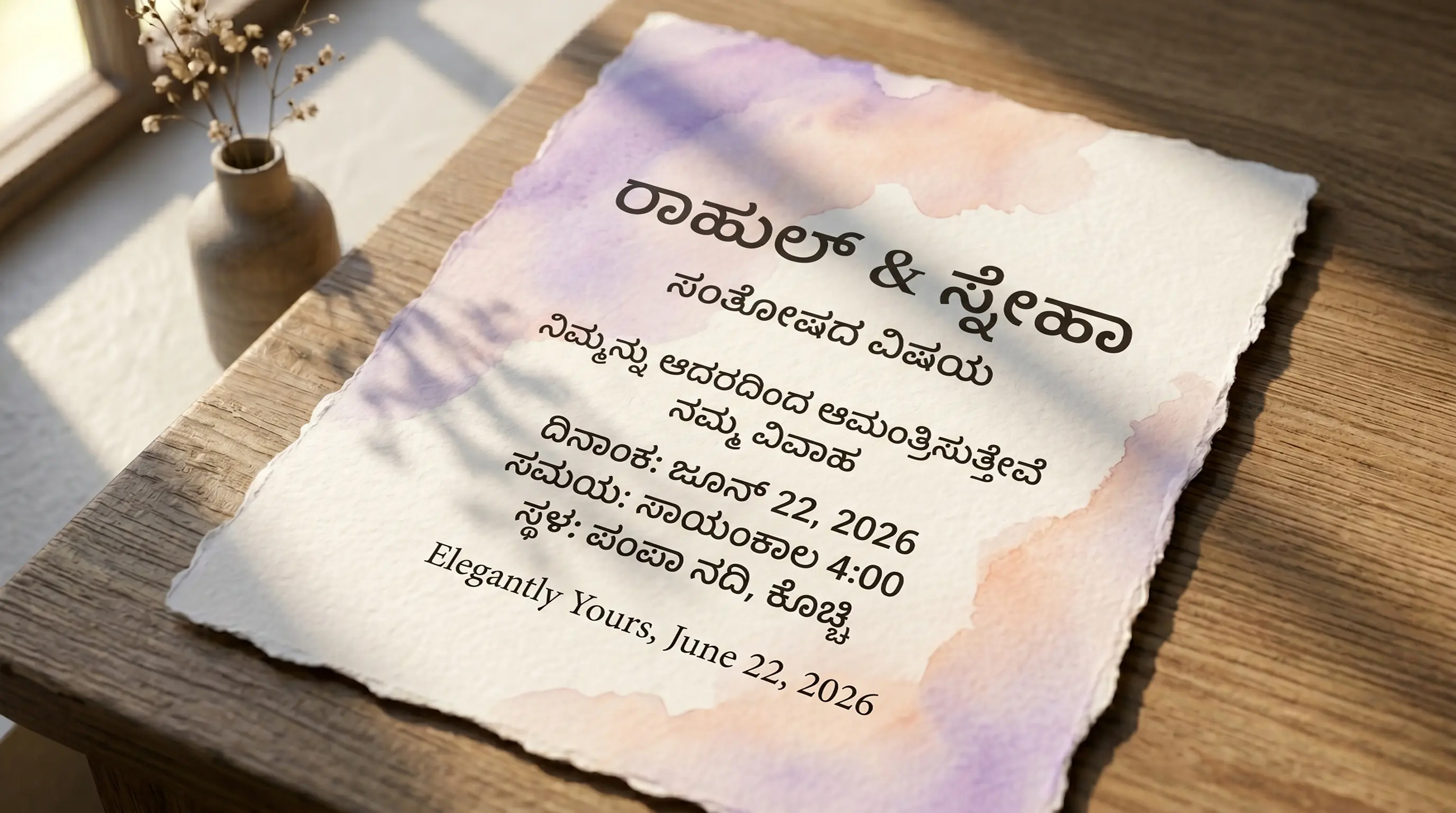
The Evolution & History of Kannada Script & Typography
The Kannada script, used to write the Kannada language spoken predominantly in Karnataka, has a rich structural history. It is a member of the Brahmic family of scripts, evolving from the Kadamba script around the 5th century CE. It shares a common Kadamba ancestor with the Telugu script, which explains their strong visual similarities. Characterized by its beautiful circular curves, overhead tick marks (called talakattu), and consonant conjuncts (called vattulu or vattakshara), Kannada is an alphasyllabary script where syllables are typed in complex overlapping patterns.
In the digital era, early Kannada word processing relied on legacy font layouts (such as Nudi or Baraha ASCII layouts) which mapped Kannada characters onto standard English keys. The Nudi typing system, popularized by the Kannada Ganaka Parishat, became a government standard. These legacy systems map Kannada glyphs to standard QWERTY positions in non-Unicode fonts.
With the establishment of the global Unicode standard, Kannada script gained universal digital representation. Modern Unicode fonts (such as Tunga, Lohit Kannada, Baloo Tamma, and Gubbi) display natively on websites, smartphones, and social media feeds. Even so, Nudi keymaps persist across Karnataka print shops because of the sheer volume of existing selection of traditional calligraphy styles.
Understanding Unicode vs. Nudi (Legacy) Font Systems
When working with Kannada typography, you will encounter two primary font architectures:
1. Modern Unicode Kannada Fonts (Tunga, Lohit Kannada, Baloo Tamma, Gubbi)
Unicode is the standard digital representation for Kannada script. Text typed using native Android/iOS keyboards is Unicode. Unicode Kannada text is fully compatible with social media bios, chat messages, and web content because the letters are encoded as standard semantic Kannada characters. Switching between Unicode Kannada faces restyles the glyphs without disturbing the underlying ottakshara stacks, so the text stays machine-readable for search engines and screen readers.
2. Legacy Nudi Layout Fonts (Nudi 01, Nudi 02, Nudi Akshar, etc.)
Legacy fonts use ASCII-mapping, which replaces Latin keyboard strokes with Kannada shapes (e.g., typing 'PÀ' outputs 'ಕ'). Decorative Kannada calligraphy, display headings, and local designer fonts are designed this way. If you copy a legacy font string, it looks like random English letters (like "PÀ£ÀßqÀ" for "ಕನ್ನಡ"), but when you paste it into professional DTP tools like Adobe Photoshop, Illustrator, or CorelDraw and select the respective Nudi font, it instantly displays beautiful Kannada script. Our tool automatically converts Unicode Kannada into this legacy ASCII mapping in real-time.
How to Generate and Paste Custom Kannada Calligraphy in Photoshop
Kannada is one of the harder scripts to lay out correctly in a design tool, because a single syllable can stack vertically: a base consonant, a talakattu tick riding on top, a vowel sign curling around the right shoulder, and an ottakshara (subscript consonant) hanging underneath. Get the shaping wrong and a word like ಕರ್ನಾಟಕ collapses into detached fragments. The workflow below is written specifically to avoid that.
Step 1 — Input Kannada Text
Type your Kannada words into the input box above using any Android/iOS Kannada keyboard, Nudi's own Unicode mode, Baraha, or Google Input Tools transliteration. Always give the generator Unicode Kannada — if you paste in text that was already saved in an old Nudi document, it will already be ASCII-remapped and the converter has nothing to convert.
Step 2 — Preview and Choose Style
Scroll the style list and switch to the Nudi (Legacy) tab for the heavy Karnataka DTP calligraphy faces. Push the size slider up to at least 60px before you commit: the ottakshara under ಕ್ಕ or ಸ್ತ is where cheap display fonts fall apart, and a subscript that looks fine at 18px can turn into an unreadable smudge on a Rajyotsava banner blown up to hoarding size. Check the talakattu spacing too — some brush faces let it collide with the letter above.
Step 3 — Copy as Image or Download PNG
Click Copy (as image) to put a rendered raster of the styled Kannada straight on your clipboard, or use PNG download / Transparent for a file. This is the safest route for Kannada, because an image is already shaped: no downstream app can re-order the vowel sign or drop the subscript consonant. Use the transparent PNG when the text has to sit over a Sandalwood poster key art or a photo background.
Step 4 — Use in Photoshop or Install TTF
Drop the copied PNG onto your canvas as a pixel layer and it is done. If you need live, editable type instead, download the TTF and install it. Two Kannada-specific cautions: in Photoshop, open Preferences → Type and enable the World-Ready / Middle Eastern & South Asian composer, then pick it in the Paragraph panel menu, otherwise Indic shaping is simply not applied and your conjuncts will not form. And if you selected a Nudi legacy face, paste the converted ASCII string from the generator — not the Unicode Kannada — because a legacy font contains Kannada glyphs sitting on Latin codepoints and expects that mapping.
Features of the FontGenix Kannada Font Changer
➤ 85+ Font Variations: View your design across a vast library of unique Kannada TTF font files instantly in one dashboard.
➤ Real-time Size Adjuster: Customize the size slider from 1px to 100px to check readability for titles, logos, or posters.
➤ Favorites List: Bookmark your favorite styles to access them quickly during large design projects.
➤ 100% Free & Client-Side: Runs entirely in your browser. No registration, no ads, and complete privacy for your text.
Types of Kannada Fonts Available
| Font Category | Examples | Primary Use Cases |
|---|---|---|
| Unicode Web Fonts | Tunga, Baloo Tamma, Gubbi, Lohit Kannada | Website articles, blog bodies, mobile interfaces, and digital copy. |
| Nudi Calligraphy Style | Nudi 01 Bold, Nudi 02, Nudi 07 | Wedding cards, festival flyers, banners, movie posters, and YouTube thumbnails. |
| Handwriting & Brush | Kedage, Malige, Nudi Akshar | Creative designs, informal flyers, social media quotes, and book covers. |
| Heavy Display Fonts | Nudi 02 Bold, Nudi Akshara 05 | High-contrast headings, magazine titles, and product packaging layouts. |
Why Use Kannada Calligraphy Fonts in Graphic Design?
Typography is crucial for conveying visual tone. In Kannada culture, calligraphy has deep historical value. Standard web fonts often feel too clean and lack the bold curves, loops, and hand-drawn styling needed for banners, local logos, and festival flyers. Utilizing premium Nudi font variations adds immediate authority and a crafted, professional feel to your designs.
Previewing live matters most for Kannada headline work, where a deep three-tier stack — talakattu on top, ottakshara below — can crowd badly in one face and breathe comfortably in another. Whether designing a title for a movie thumbnail or a soft script layout for a literary piece, having access to 85+ styles is an invaluable asset for designers.
Tips for Installing and Using TTF Fonts on Mobile & Desktop
Installing a Kannada TTF is only half the job — the other half is checking that whatever app you loaded it into can actually shape Kannada. Many mobile design apps draw text glyph-by-glyph with no complex-script engine, which is why a Bengaluru signage mockup can look perfect in the browser and then render as loose, un-stacked letters inside the app. Here is what to expect platform by platform.
How to Install Fonts on Windows & macOS
Double-click the .ttf, then choose Install on Windows or Install Font in macOS Font Book. Desktop apps are the reliable end of the spectrum for Kannada: Photoshop, Illustrator, CorelDraw, Premiere Pro and MS Word will all form ottakshara stacks correctly once the font is present. Keep your Nudi legacy faces mentally separate from your Unicode ones — a Nudi TTF typed with a normal Kannada keyboard will output Latin garbage such as PÀ£ÀßqÀ, because you fed Unicode codepoints to a font that expects ASCII ones. If you already have the Nudi 01/02 series installed from an older Karnataka DTP setup, install our files alongside them rather than overwriting; identical internal family names are the usual cause of a font silently swapping itself in a saved PSD.
How to Import Fonts to PicsArt & PixelLab (Mobile)
For PicsArt, drop the TTF into the PicsArt/Fonts folder on internal storage; in PixelLab, open the Font menu, tap My Fonts, hit the folder icon and point it at your Downloads directory. Then immediately type a test conjunct such as ಸ್ಪ or ಕ್ಷ. If the subscript letter appears beside the base consonant instead of tucked beneath it, that app is not shaping Kannada properly and no font will fix it — go back to this page, style the word here, and use Copy (as image) or the transparent PNG instead. A raster cannot be re-shaped incorrectly, which is exactly why we ship that export path.
How to Upload Fonts to Canva
Canva Pro and Teams accounts can upload custom typefaces: open Brand from the Canva home sidebar, scroll to Brand Fonts, choose Upload a Font and select your Kannada TTF. Canva will only accept a font you have the rights to use, so stick to the free-licensed families here for client work. One caveat worth knowing before you build a whole Rajyotsava or Kannada film promo layout in Canva: its text engine handles Unicode Kannada far better than it handles legacy Nudi ASCII, so upload the Unicode faces for editable headings and bring the Nudi calligraphy in as a downloaded PNG element on top.
Explore More Typography Tools
Check out our other free text styling tools:
➤ Main Font Generator: Style Latin script text into 250+ stylish variations on the FontGenix Homepage.
➤ English Font Style Generator: Convert English text into 360+ Google Fonts and Unicode variations on our English Font Style Generator.
➤ Arabic Font Style Generator: Convert Arabic script text into 260+ stylish calligraphy styles on our Arabic Font Style Generator.
➤ Sinhala Font Style Generator: Convert Sinhala script text into 110+ stylish calligraphy styles on our Sinhala Font Style Generator.
➤ Japanese Font Style Generator: Convert Japanese script text into 68+ stylish fonts on our Japanese Font Style Generator.
➤ Hindi Font Style Generator: Convert Hindi text into 90+ custom calligraphy designs on our Hindi Font Style Generator.
➤ Marathi Font Style Generator: Convert Marathi Devanagari text into 140+ stylish fonts on our Marathi Font Style Generator.
➤ Odia Font Style Generator: Convert Odia script text into 57+ premium calligraphy styles on our Odia Font Style Generator.
➤ Punjabi Font Style Generator: Convert Punjabi script text into 114+ stylish calligraphy styles on our Punjabi Font Style Generator.
➤ Telugu Font Style Generator: Convert Telugu script text into 70+ stylish calligraphy styles on our Telugu Font Style Generator.
➤ Tamil Font Style Generator: Convert Tamil script text into 77+ stylish calligraphy styles on our Tamil Font Style Generator.
➤ Malayalam Font Style Generator: Convert Malayalam script text into 204+ stylish calligraphy styles on our Malayalam Font Style Generator.
➤ Bengali Font Style Generator: Convert Bengali script text into 88+ stylish calligraphy styles on our Bengali Font Style Generator.
➤ Gujarati Font Style Generator: Convert Gujarati script text into 48+ stylish calligraphy styles on our Gujarati Font Style Generator.
➤ Nepali Font Style Generator: Convert Nepali script text into 180+ stylish calligraphy styles on our Nepali Font Style Generator.
Frequently Asked Questions
The Kannada Font Style Generator is an online utility that enables you to style Kannada script text in 85+ custom Unicode and legacy Nudi fonts (including calligraphy, handwriting, and display designs). You can type in Kannada, preview the output instantly, copy it as an image, or download solid/transparent PNGs and TTF files.
You can copy the styled text as a high-quality PNG image to your clipboard by clicking the 'Copy (as image)' button, or download it as a PNG file with a solid white or transparent background using the 'PNG download' and 'Transparent' buttons.
You can download the raw TTF font files directly by clicking the 'TTF download' button next to any font style. This allows you to install the font family locally on your operating system and use it in tools like Photoshop, CorelDraw, Illustrator, or MS Word.
Yes! Standard Unicode fonts work natively, but legacy Nudi calligraphy fonts require font files installed on the viewer's device. To share styled calligraphy text on social media like Instagram, WhatsApp, or TikTok, click the 'Copy (as image)' button and paste it directly as a graphic preview in your stories, chat feeds, or posts.
You can write Kannada text using standard keyboards on your phone or PC. Alternatively, you can type phonetically in English (e.g. typing "shubhodaya") and have it automatically converted into Kannada characters ("ಶುಭೋದಯ") in real-time before pasting it into our input box.
Yes, all Kannada fonts on FontGenix are 100% free to download and use for personal or educational projects. For commercial usage, please refer to the specific licensing terms of individual font authors.
Yes! Once you download the TTF files from our generator, you can install them on your system to use in professional design software like Adobe Photoshop, CorelDraw, and Illustrator, or import them directly into video editing apps like Kinemaster and graphic design tools like Canva.